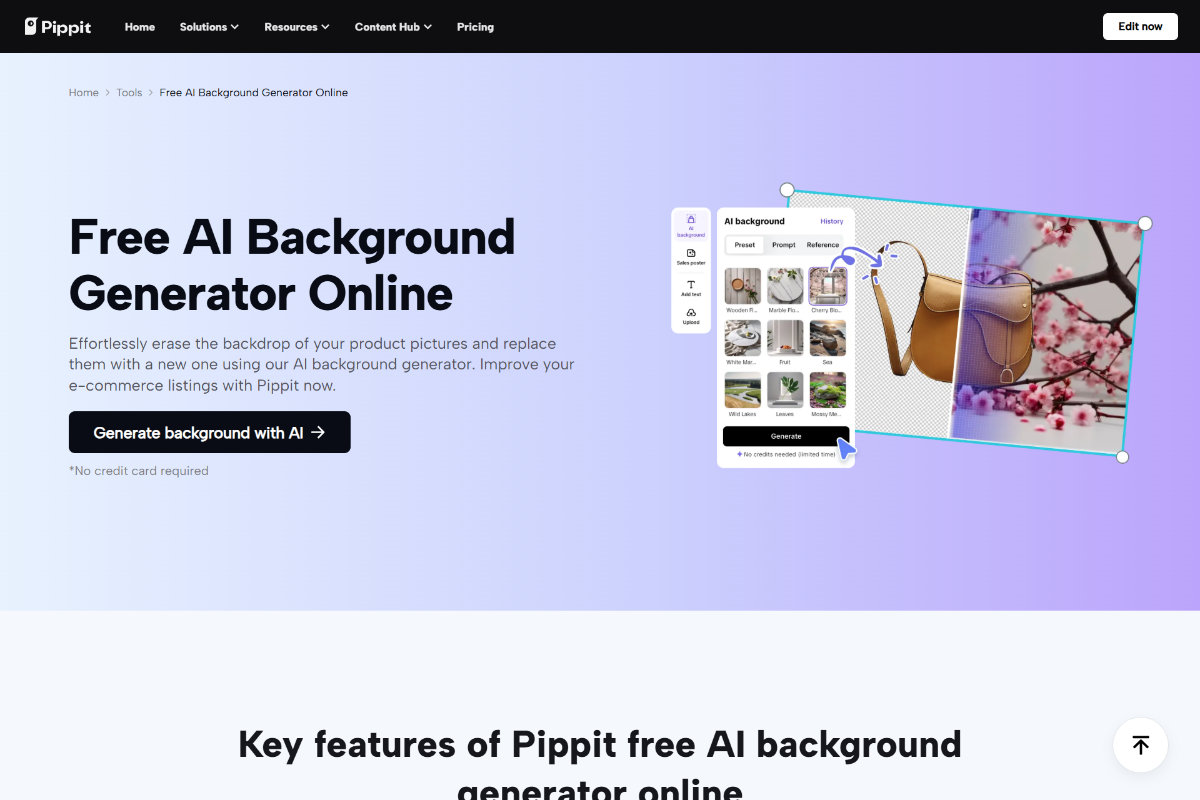
Ever scrolled through a video ad and thought, “Wow, that’s pricey”, even though it’s just some dude talking to the camera? Likely, it wasn’t the product or the creator’s vibe alone that grabbed your attention. It was the visual setting. The set. The lighting. The emotion the scene evoked before anything was said. And here’s the surprise: with the proper equipment, that amazing background likely wasn’t there to begin with.
With intelligent creators and platforms such as Pippit’s AI background generator, everyday video is being transformed into high-conversion content for brands and influencers. Not by purchasing pricey cameras or leasing spaces, but by creating them with purpose.

What is your backdrop saying before you do
In the short time that someone looks at your Reel or TikTok, your content either grabs them or fades into the scroll. Before you’ve even opened your mouth, the backdrop has already conveyed a tone.
- Dull colors with gentle lighting convey peace and trustworthiness, ideal for beauty or health products.
- Vibrant colors and high contrast stimulate arousal and notice, perfect for devices, launches, or Gen Z attire.
- Simple and minimalist imagery conveys sophistication, lucidity, and contemporaneity, best for technology or productivity software.
How visual balance impacts viewer behavior
In addition to color and tone, other visual elements in your background impact performance as well:
- Asymmetry vs. symmetry: Symmetrical layouts are soothing. Off-center, dynamic images imply movement and energy.
- Space and framing: A messy background distracts from your message.
- Contextual cues: A cup of coffee, cityscape, or yoga mat in the background immediately establishes your content in a lifestyle, even if the product isn’t revealed yet.
AI isn’t cheating – it’s strategic content design
Let’s talk about the second-guessing: is it dishonest to use an AI background? No way. You’re not pretending at an experience, you’re editing a message. It’s the same as applying filters, lighting rigs, or soundtracks to your work. When you use an AI background generator, you’re simply setting a space that works best for your narrative. And when this image becomes part of a full video, you’re no longer just selling a product – you’re selling an atmosphere.
Don’t just set the scene – bring it to life
Aesthetic pictures grab attention, but motion keeps it in place. That’s why once your background and script are aligned, it’s time to make your visuals move. That’s where the shift to text to video AI a feature of Pippit enters in. Think about this: you have a product page, a written description, or a blog. Rather than paying for a videographer or cutting up footage manually, you just copy that link or text into a smart tool – and it becomes a slick video. Pippit goes one step further, adding your AI-created backdrop with product context and auto-video creation.
Here’s how to turn your visual strategy into a scroll-stopping video
Step 1: Add your text or enter the product link
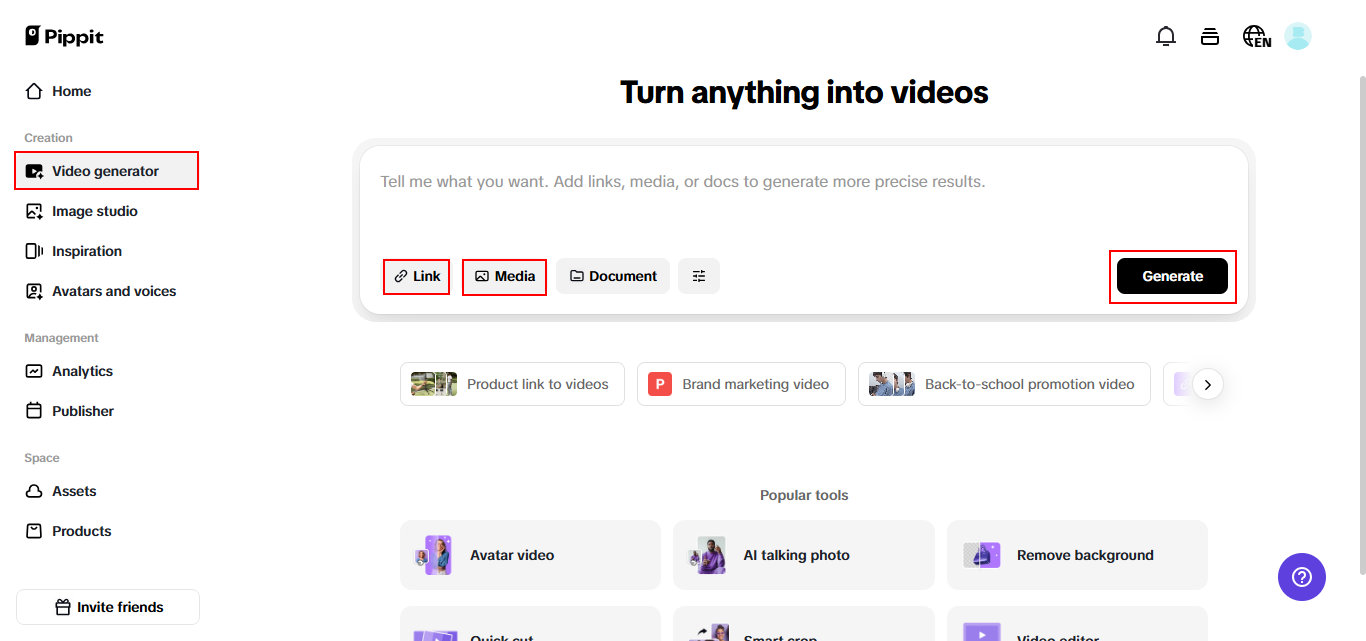
Attempt for free by logging into Pippit. Go to the “Video generator” page and paste your product link or choose “Add media” to add text and media manually. Pippit will automatically fill in the product details and create scripts depending on the product details of the given link, making the process faster and easier. You can also insert particular details to make personalized videos with ease.
Step 2: Choose settings & create video
Click on “Settings” next to choose your video settings as per your needs. Under “Video settings,” you can set the length and ratio of your video according to your platform’s needs. Choose your desired language for narration. Under “Script,” you may either use the script created by AI according to your product information or modify it as per your needs. For “Avatars,” pick from available options or design your own to fit the tone of your video. When you have set everything, click the “Generate” button.

Step 3: Preview, customize & export
Preview the videos created based on different product highlights and promotional content. If necessary, click “Quick edit” beneath the generated video to alter the script, change the caption style, or even alter the avatar and voice. You can also choose “Change video style” to have the ideal variation. Also, opt for “Edit more” to edit the video exactly in a professional video editor. Then, once you’re happy, click “Export” to download your video, ready to use in your ads or social media communications.

Why this matters for ads, not just aesthetics
This process is not only about having your videos look aesthetically pleasing. It’s about having them convert.
Research (and real-world results) demonstrate that:
- Audiences make quality judgments of content within one second from visual context.
- Emotion-evoking images drive up engagement by as much as 70%.
- Consistent branding in backgrounds creates better recall and follower acquisition.
By marrying the psychology of design with rapid content automation, you have a process that works with your objectives, not against your schedule.
Last words: your visual strategy is your sales strategy
If you’re making Reels, TikToks, or short-form commercials, your visuals are selling more than your script. By getting your backgrounds on point and adding that to automation capabilities like Pippit, you eliminate guesswork, accelerate production, and increase quality, all without exceeding budget.
Your audience may not know why they clicked. But you will. Ready to create better backdrops and make them sales-ready videos? Give Pippit today a try and start making content that doesn’t just appear great, it performs.