Visual content is the most important part of your online presence. If your images look blurry or pixelated, people will not trust your brand. You need high quality visuals to grab attention and keep it. Many creators struggle with old photos that lack the clarity needed for modern screens. You can solve this problem quickly by using an AI Image Upscaler to improve the resolution of any picture. This tool adds missing pixels and sharpens edges so your work looks professional.
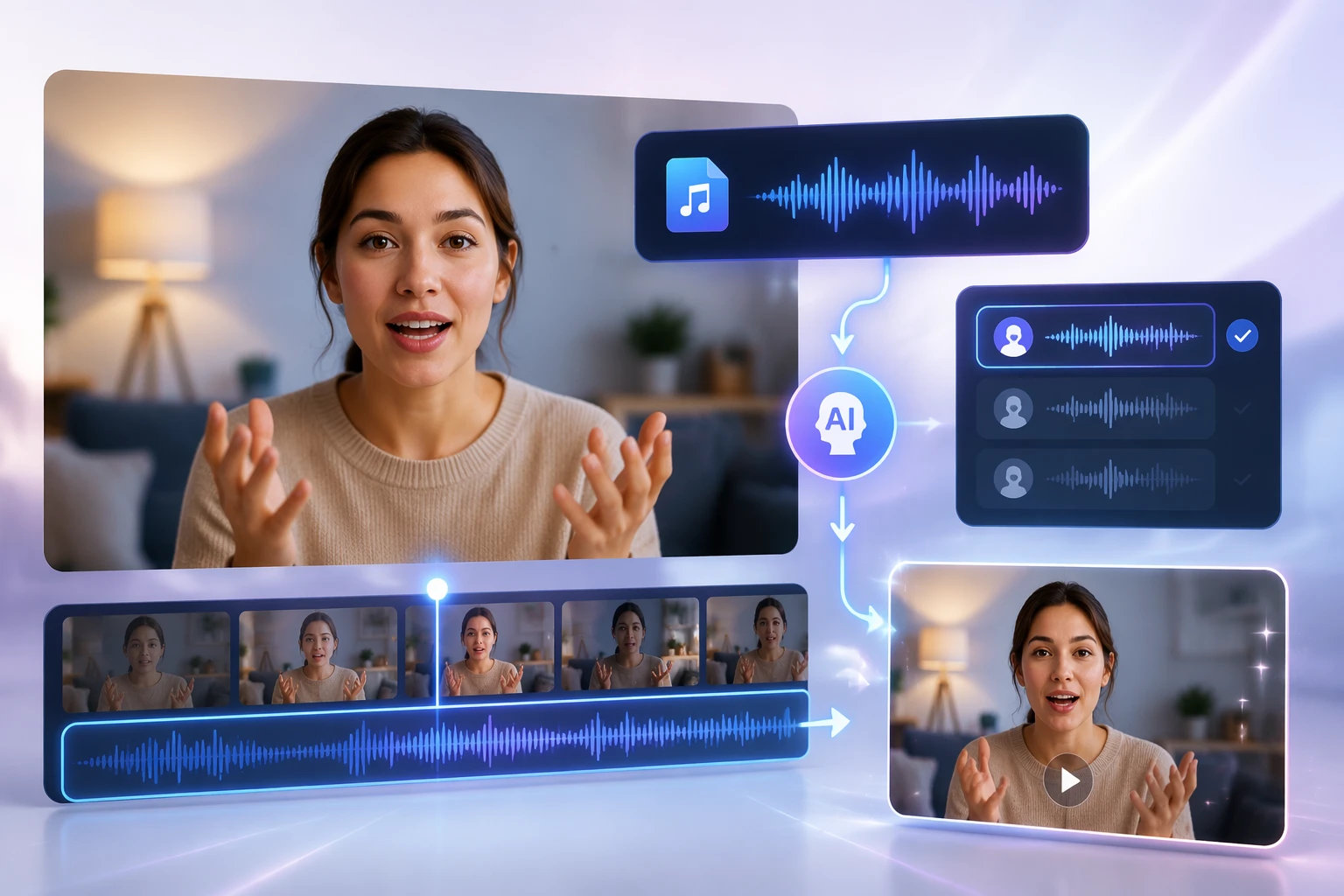
Static images can sometimes feel a bit flat in a world full of video content. You want your audience to feel a connection with your brand or your message. You can turn a simple portrait into a dynamic video by using a Talking Photo tool to add speech. This technology allows you to upload a photo and a script to create a realistic video of the person speaking. It is a great way to make your content more interactive without hiring a full production team.
These two tools work together to transform how you communicate with your audience. You no longer need expensive cameras or complex editing software to produce high quality results. By combining clear visuals with engaging animation, you can create a powerful impact on any platform. This guide will show you how different industries use these tools to improve their results.
Real World Scenarios for AI Visual Tools
Scenario 1: E-commerce and Product Marketing
Online shopping relies entirely on how a product looks. If a customer sees a grainy photo, they will likely leave the page without buying anything. Many small business owners receive low quality images from their suppliers or take photos in poor lighting. You can use upscaling technology to fix these images so they look crisp on high resolution mobile screens. This helps build trust and makes the product look more expensive than it might appear in a blurry shot.
Once you have a clear image of your product or a brand representative, you can take it a step further. You can create a video where the person in the photo explains the benefits of the product. This helps customers understand the value of what you are selling. It feels more personal than reading a long block of text. A talking avatar can answer common questions or demonstrate how to use a specific item.
Scenario 2: Social Media and Personal Branding
Social media platforms favor video content over static posts. If you are an influencer or a business owner, you need to post videos to stay relevant. However, filming yourself every day is exhausting and takes a lot of time. You can use a single high quality headshot to create dozens of short video clips. This allows you to maintain a consistent presence on platforms like Instagram or TikTok without spending hours in front of a camera.
You might also find an old photo that fits your brand perfectly but is too small for a modern post. Using an upscaler allows you to resize that photo for a story or a feed post without it looking stretched. You can then add a voiceover to that photo to share a tip of the day or a quick update. This keeps your feed looking fresh and professional while saving you a lot of effort.
Scenario 3: Corporate Training and Education
Teachers and corporate trainers often have to explain complex topics. Text heavy slides are boring and students often lose interest quickly. You can make your educational materials much more engaging by adding a talking character to your presentations. A photo of a historical figure or a company founder can come to life to explain a lesson or a company policy. This makes the learning experience feel more human and less like a chore.
High quality visuals are also important in a classroom or boardroom setting. If you are projecting a slide onto a large screen, any blurriness will be very obvious. You should upscale your diagrams and portraits to ensure they remain clear for everyone in the room. This shows that you care about the quality of your presentation and helps the audience focus on the information instead of the poor image quality.
Benefits per Scenario
The benefits of using these tools vary depending on your specific goals. In e-commerce, the primary benefit is an increase in conversion rates. When customers see clear images, they feel more confident in their purchase. Adding a talking spokesperson reduces the bounce rate because visitors stay on the page longer to watch the video. This leads to more sales and fewer returns because the product was represented accurately.
For social media creators, the biggest benefit is efficiency. You can produce a week of content in just a few minutes. You do not need to worry about hair, makeup, or lighting every time you want to share a thought. The upscaler ensures that your brand always looks polished, even if you are using an old photo from your archives. This consistency helps you grow your following faster.
In education, the main benefit is improved information retention. People remember information better when it is delivered through both sight and sound. A talking photo acts as a guide through difficult material. Clear, upscaled images prevent eye strain and keep students focused on the details of the lesson. It makes the entire process of learning more enjoyable for everyone involved.
Practical Workflow for Better Content
You can start improving your content today by following a simple workflow. First, you need to select the image you want to use. If the image is small or looks a bit fuzzy, you should run it through an upscaler first. This ensures that the base of your project is as high quality as possible. You should aim for a resolution that looks good on both desktop and mobile devices.
Next, you should decide what you want your image to say. Write a short, clear script that gets straight to the point. Once your script is ready, you can upload your upscaled image to the talking photo tool. You can choose a voice that matches the personality of the person in the photo. The tool will then sync the lip movements with the audio to create a natural looking video.
Finally, you should review the video to make sure everything looks right. Check that the image quality is still high and the speech is easy to understand. You can then download the file and share it on your website, social media, or in your next presentation. This process takes much less time than traditional video editing and gives you a professional result every time.
Conclusion
Using AI tools to enhance your visuals is a smart way to stay ahead in a busy digital world. You can easily fix low quality photos and turn them into engaging videos that capture attention. These tools are simple to use and do not require any special technical skills. You can save time, reduce costs, and produce content that looks like it was made by a professional studio.
If you want to grow your brand or improve your communication, you should start experimenting with these technologies. You will see a big difference in how people respond to your content when it is clear and interactive. High quality images and talking photos are no longer just for big companies with large budgets. You have the power to create amazing visuals right from your computer. Focus on quality and engagement, and you will see your online presence thrive.