A realistic product image starts with a clear relationship between the object, the light, and the surface it sits on. For AI image generation, describe that relationship first. Decide where the camera is placed, give each light a visible source, and keep the background simple enough that the product remains the focus. These examples look at a clean tabletop shot, a lifestyle scene with the product in use, and a slightly elevated angle that shows more of the surrounding space.
Making Materials Feel Tangible
Real products rarely look perfectly smooth or evenly lit. A ceramic mug has soft highlights along the rim and slight texture on the surface. Fabric shows folds and variation in tone. Metal reflects nearby colors in a controlled way rather than turning into a mirror. The surface under the product matters just as much—wood grain, matte paper, or slightly worn concrete all catch light differently.
In a simple tabletop scene, soft window light from the left creates a gentle highlight on one side of the product while the opposite side falls into soft shadow. The surface under it shows a faint reflection or contact shadow. A small prop nearby (a book, a plant, or a cloth) gives scale without competing for attention.
This approach works better than flooding the scene with light. One main light source, one supporting fill, and enough shadow to give the object volume usually look more convincing.
A Clear Starting Prompt for Product Shots
A useful prompt describes the product, the surface, the light, and the camera position. Vague requests like “beautiful product photo” leave too much open. Specific details about material and lighting give the tool something concrete to work with.
Try this as a starting point in CapCut’s image generation tool:
Create a horizontal, photorealistic product image of a matte ceramic coffee mug on a light oak table. Place the camera slightly above eye level, angled toward the mug. Soft natural light comes from a large window on the left, creating a gentle highlight on the left side of the mug and a soft shadow on the right. Show subtle texture on the ceramic surface and a faint reflection on the table. Keep the background simple and slightly out of focus. No text, logos, or extra objects.
The prompt locks the viewpoint and lighting before adding atmosphere. It also tells the tool what the material should look like. Those details tend to produce more usable results than a long list of style adjectives.
After generating the image, look at it as a whole. If the composition feels right, adjust one element at a time—stronger shadow, softer highlight, or a different surface—rather than rewriting the entire prompt.
Placing the Product in a Lifestyle Setting
A clean product shot shows the object clearly. A lifestyle scene shows how it might be used. Move the product into a lived-in space: a desk with a notebook, a kitchen counter in morning light, or a bedside table with soft evening light.
The key is still the relationship between light and surface. In a lifestyle version, the main light can come from a window or a desk lamp. The product should feel naturally placed, not floating. Keep supporting objects secondary so they do not pull focus.
For this kind of scene, describe an eye-level or slightly elevated view of a desk or table. Mention the main light source, the material of the product, and one or two quiet supporting elements. Ask for natural contact shadows and restrained color. Avoid clutter.
This is a change in context, not just a change in background. The product still needs to read clearly, even when the scene includes more of the environment.
Using a Higher Angle to Show More Context
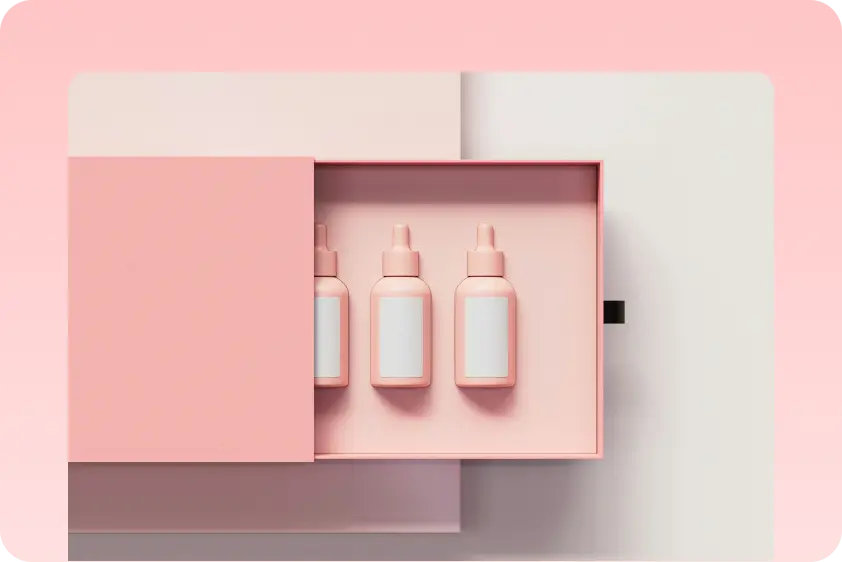
Looking down at a slight angle can reveal the shape of the product and the surface it rests on more clearly. In this view, the table or desk becomes part of the composition. Texture on the surface and the way light falls across it become more noticeable.
A modest side light can create a soft gradient across the table while leaving the product itself readable. Keep the background quiet so the materials stay the main interest.
For this angle, ask for a diagonal elevated view, clear contact shadows, and visible surface texture. If the product and the table look too similar in tone, request a slight difference in material or color so they separate more easily.
Handling Reflections, Shadows, and Soft Edges
Reflections should feel connected to something in the scene. A soft highlight on ceramic or glass should match the direction of the main light. Harsh mirror-like reflections usually look less natural unless the product is actually highly reflective.
Shadows help define form. A soft contact shadow under the product anchors it to the surface. Hard shadows can work if the light source is strong and directional, but they need to match the rest of the lighting.
Soft edges and gentle falloff between light and shadow often look more realistic than sharp, high-contrast lighting. Ask for controlled contrast rather than dramatic lighting unless the scene specifically calls for it.
When something feels off, make a focused request: “Keep the same camera angle and product. Soften the highlight on the left side and make the contact shadow under the mug slightly darker.” CapCut allows this kind of targeted refinement.
Checking the Image at Full Size and as a Thumbnail
Look at the full-size image for material accuracy, correct perspective, and natural shadows. Then reduce it on screen. The product should still be easy to recognize, and the main light direction should remain clear. Small details will not save a composition that turns into a flat shape at smaller sizes.
Once the lighting and materials feel coherent, download the image. Save the prompt with it so you can return to the same setup later or build variations from it.
Summary
Realistic product and lifestyle images depend on clear light sources, believable materials, and a deliberate camera position. Start with one quiet setup, define the light and surface, and refine the details until the product feels grounded in the scene. CapCut’s image generation tool works well for this kind of controlled, iterative process.