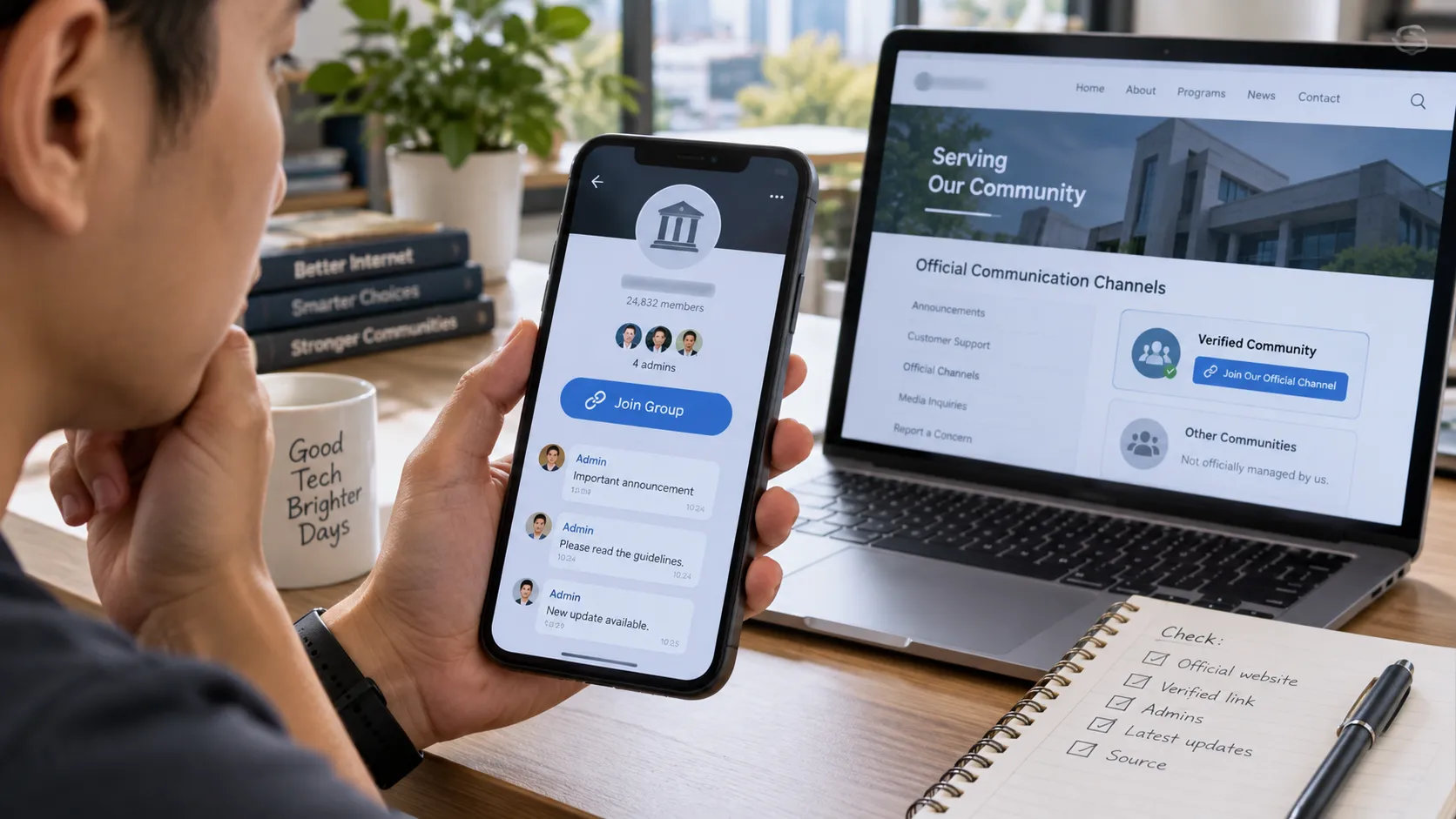
A legitimate messaging platform does not by itself verify who operates a group or community.
A message arrives in a family chat or office group: “Join the official assistance group here.”
The link opens a real messaging app. The group uses the organization’s name and logo. There are several administrators, thousands of members, and a steady stream of announcements. Nothing immediately looks suspicious.
That still leaves one question unanswered: Did the organization actually create or endorse this group?
It is an easy distinction to miss. We tend to judge unfamiliar links by checking whether they lead somewhere recognizable. If the destination is Telegram, Facebook, Viber, Discord, or another established service, the link itself can feel reassuring.
But confirming the platform and confirming the publisher are two different jobs.
A genuine messaging service can host an official government channel, a neighborhood group, an independent fan community, an abandoned customer-support group, and an impersonator at the same time. The platform tells you where the conversation is happening. It does not necessarily tell you who is speaking.
The Platform and the Community Are Not the Same Thing
Think of a messaging platform as infrastructure.
Telegram provides Telegram. Facebook provides Facebook. Discord provides Discord. The individual groups, channels, pages, and communities inside those services may be created by companies, schools, government offices, volunteer organizations, customers, fans, or private individuals.
Most people already understand this distinction on the wider web. Nobody should assume that a Facebook page belongs to a bank simply because it carries the bank’s logo. A website mentioning a government agency is not automatically a government website.
Messaging groups deserve the same treatment.
If a link opens correctly inside a legitimate app, you have established something useful: you know which service hosts the destination.
You have not yet established who controls it.
An Invite Link Gets You In. It Does Not Prove Who Is in Charge
Invite links can look more authoritative than they really are.
A working link confirms that a particular group or channel exists and that the link can take you there. Depending on the service and privacy settings, it may also reveal the group name, member count, description, or administrator information.
What it usually cannot tell you is whether the name is authorized.
Consider a parent who receives a school-group link from another parent. The group may be perfectly legitimate as a parent-run community even if the school itself does not operate it. That distinction might not matter when people are discussing uniforms or a class activity. It matters much more if someone later posts new payment instructions and presents them as an official school notice.
The same issue appears in customer groups and local communities. A useful group does not have to be an official group, but members should know which kind they are dealing with.
For readers who use Telegram in Traditional Chinese, a 紙飛機社群使用指南 can provide additional context on group-based communication and how these community spaces are organized. That background is useful when deciding what a group can reasonably tell you—and what still needs to be confirmed elsewhere.
The mistake is not joining an unofficial community. The mistake is giving it authority it never claimed, or never had.
Logos, Names and Member Counts Are Easy to Overvalue
People naturally look for visual signals when deciding whether something online is trustworthy.
Unfortunately, many of those signals are weak.
A logo can be copied from an official website in seconds. So can a product photograph, organization description, banner, or contact name. Adding words such as “Official,” “Support,” “Philippines,” or “Customer Service” to a group title does not require permission from the organization being named.
A large member count is not proof either.
There are independent communities with tens of thousands of genuine members. Some are better maintained than official communities. Others have existed for years and rank prominently in search results.
Member count tells you something about reach. It tells you very little about ownership.
Instead of asking whether the group looks official, look for evidence outside the group.
Reverse the Verification
One of the simplest checks is also one of the most effective: start from the organization, not from the group.
Suppose you find a channel claiming to represent a telecom provider. Rather than relying on the channel description, visit the provider’s established website. Check its help center, customer portal, official app, or verified social profiles.
Does any of those properties point back to the channel you found?
The same method works for a school, government agency, online store, bank, or other organization.
This creates a much stronger chain of evidence because an impersonator can control what appears inside an impersonation group. It cannot normally add a link to the real organization’s website.
There are exceptions. Some organizations maintain regional or temporary communities without documenting them well. Others simply have inconsistent digital communication.
So a missing reverse link is not proof of fraud.
It is a reason not to treat the group as verified yet.
Google Can Find a Group. It Cannot Necessarily Authenticate It
Search is useful, but its role is often misunderstood.
Search for a company name plus “Telegram,” “Viber,” or another platform and you may get several plausible results. One could be the current official channel. Another could be a fan community. A third may have been official three years ago but is now abandoned.
All three can appear legitimate in a results page.
Search engines are therefore best used for discovery. They help you find possible destinations.
Authentication comes afterward.
Once you have found a candidate, return to the organization’s own digital properties and see whether you can establish a connection in the opposite direction.
That extra minute is especially worthwhile when the group is distributing instructions rather than simply hosting conversation.
A Real Telegram Link Does Not Make the Publisher Official
This is where platform verification can create a false sense of completion.
Suppose you have checked a suspicious-looking link and confirmed that it really does lead to Telegram rather than a look-alike website.
Good. That eliminates one question.
It does not eliminate all of them.
You still need to identify the account, channel, or group publishing the information. A real platform can carry information from both verified and unverified sources.
Readers trying to make that distinction can refer to a Telegram 官方資訊來源指南 for additional context on official entry points and information sources. The practical point is to verify the service itself separately from the people or organizations using it.
This distinction is not unique to Telegram. It applies anywhere a legitimate platform allows users to create accounts and communities.
Be Careful With “Official” Screenshots
Screenshots deserve their own category because they travel so easily.
Someone takes a screenshot of an announcement and forwards it to another group. That person forwards it again. A few hours later, hundreds of people may have seen the image without seeing the original post.
Along the way, useful context disappears.
Where was it published? Who posted it? When? Was it edited later? Was there a correction in the next message? Does the account still exist?
The image usually cannot answer those questions.
If a screenshot contains information that could affect money, an account, an application, or a government transaction, try to locate the original notice rather than treating the screenshot as the notice itself.
Sometimes that search reveals that the screenshot is genuine but outdated. That is precisely why finding the source matters.
An Official Group Can Become an Old Group
Not every misleading community started out as a fake.
Organizations change communication channels.
A business may move customer support to another service. A school may create new groups every academic year. A local campaign may end. An administrator may leave an organization while an old channel remains visible and searchable.
In those cases, the historical question—“Was this once official?”—is less useful than the current one:
Does the organization still treat this as an authoritative channel today?
Look at the dates of recent posts. Check whether administrators are still identified. See whether the organization’s current website or help pages still direct users there.
Old links have a habit of surviving longer than the processes they once supported.
Good Communities Make Authority Visible
Organizations can reduce this confusion through better community management.
If a group is used for official communication, administrators should be identifiable. Announcement privileges should be limited where appropriate. Community rules should explain what administrators will and will not ask members to provide.
There should also be a way to escalate important questions outside the chat.
This becomes particularly useful in busy groups. When dozens or hundreds of people can post, an ordinary member’s confident answer can easily be mistaken for an official instruction.
A healthy community makes that difference visible instead of expecting members to guess.
“Send Me Your Login Code” Is a Stop Sign
Some verification questions require judgment. This one generally does not.
If a supposed administrator asks you to send your messaging-account password, one-time login code, or recovery credential to prove that you belong in a group, stop.
A private community may have legitimate reasons to check membership. A school could verify a student or parent identifier. An association might check a membership number. A company could approve customers through information already held in its own system.
None of those procedures requires handing over credentials that can be used to access your messaging account.
A login code proves control of an account. It is not a group-membership code.
The wording used by an attacker may sound administrative—“verification,” “activation,” “security check”—but the function of the credential does not change.
Raise the Standard for Government and Financial Information
Not every wrong message carries the same consequences.
If someone posts an incorrect restaurant recommendation in a neighborhood group, the result may be an inconvenient dinner. Incorrect information about a pension, bank account, government benefit, telecom service, payment request, or identity document can create much larger problems.
For those subjects, use the group as an alert rather than as the final authority.
If a post says a government procedure has changed, check the agency’s official portal. If a banking group announces an account-related action, confirm it through the bank’s established channels. If a telecom notice asks you to submit personal information, find the provider’s own instructions before doing so.
Messaging groups are excellent at distributing information quickly.
Speed and authority, however, are not the same thing.
Use This Five-Step Check
You do not need a complicated investigation for every group invite. A short checklist is usually enough.
| Step | What to check |
| 1. Platform | Does the link really open the platform it claims to use? |
| 2. Destination | Which group, channel, account, or domain does it actually lead to? |
| 3. Community | Is the purpose of the community clear, and are administrators identifiable? |
| 4. Ownership | Does the organization acknowledge the community through a website, app, portal, or other property it controls? |
| 5. Message | For an important claim, can you find the current original source? |
How far you go should depend on what is at stake.
You probably do not need to investigate the ownership history of a local photography group before discussing camera lenses. You should be much less casual about a group asking you to change where you send money.
That is a more useful standard than treating every unfamiliar community as dangerous—or every familiar-looking one as trustworthy.
Follow the Evidence Backward
Online communities work because they remove friction. A school can coordinate parents quickly. Neighbors can organize around a local problem. Businesses can answer customers in a shared space. Hobby groups can bring together people who would otherwise never meet.
None of that changes because a group is unofficial.
The important thing is knowing what you are looking at.
A legitimate platform tells you where the community is hosted. An invite link tells you how to reach it. A logo, familiar name, or large membership may tell you that the group has been made to look established.
Authority requires another step.
For consequential information, trace the claim back toward something the organization controls. Check whether the organization recognizes the community. Find the original announcement. Make sure an old channel has not been replaced by a new one.
In other words, do not ask only whether the group looks convincing.
Ask whether the evidence leads back to the people it claims to represent.