• Home
  • About Us
  • Advertise
  • Archives
  • Contact Us
  • Smartphone Prices
Tuesday, July 7, 2026
Tech Pilipinas
  • Telecoms
  • Government
  • Fintech
  • Internet
  • Social Media
  • Tutorials
  • Entertainment
  • E-commerce
  • Deals
  • More
    • Gaming
    • Gadgets
    • Mobile
    • Apps
    • Business
    • News
    • Security
No Result
View All Result
  • Telecoms
  • Government
  • Fintech
  • Internet
  • Social Media
  • Tutorials
  • Entertainment
  • E-commerce
  • Deals
  • More
    • Gaming
    • Gadgets
    • Mobile
    • Apps
    • Business
    • News
    • Security
No Result
View All Result
Tech Pilipinas
No Result
View All Result

Home » Software » How I Fix Failed Software Reinstallations by Cleaning Reg Entries with IObit Uninstaller

How I Fix Failed Software Reinstallations by Cleaning Reg Entries with IObit Uninstaller

Luis Reginaldo Medilo by Luis Reginaldo Medilo
July 6, 2026
in Software
Follow us on Google
0
SHARES
Share on FacebookShare on Twitter

Failed software reinstallation can be irritating, especially when I remove a program but still cannot install it again properly. I often noticed that the problem was not the installer itself, but the hidden leftover files and registry entries from the previous version. These old entries can confuse Windows, cause errors, or stop the new installation from completing. That is why I started using IObit Uninstaller to clean stubborn leftovers before reinstalling any software. In this article, I will share how IObit Uninstaller helped me fix failed reinstallation issues and made the process easier, cleaner, and more reliable. 

Part 1: Top Reasons Why Software Reinstallation Failed

There can be many reasons why softwares fail to reinstall on my PC. Below are the most common reasons why software reinstallation may fail: 

  1. Leftover Registry Entries: One of the biggest reasons is old registry entries. Even after uninstalling a program, some entries remain in the Windows Registry. These entries can make Windows think that the software is still installed. 
  2. Incomplete Uninstallation: Sometimes, the default Windows Uninstaller does not remove all files related to a program. It may leave behind folders, settings, cache files, and other data that interfere with the reinstallation process. 
  3. Corrupted Program Files: Another common reason that I found is corrupted files. If some files from the previous installation remain and get corrupted, then it can cause issues with the reinstallation. 

Part 2: What is IObit Uninstaller?
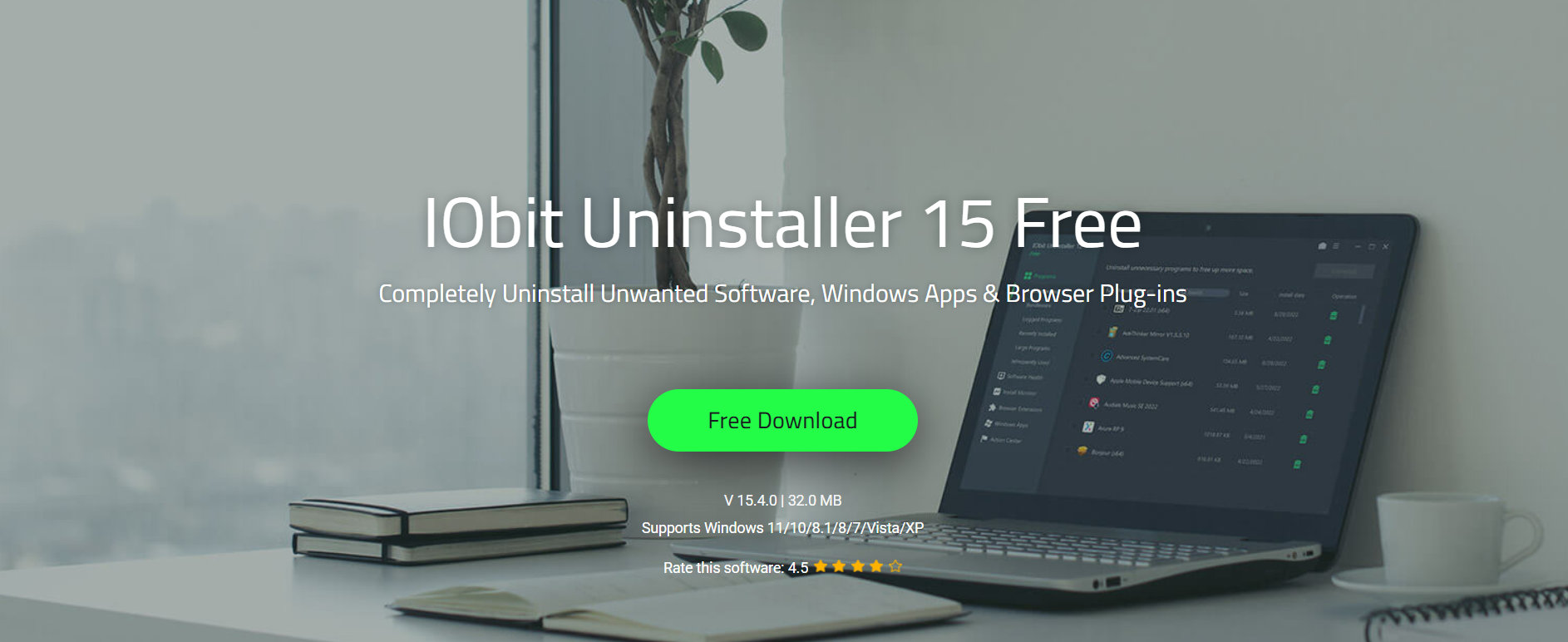
iObit Uninstaller

IObit Uninstaller is an amazing uninstaller for Windows, providing an easy and secure method to eliminate unwanted programs, malicious browser extensions, and Windows apps. Unlike the default Windows Uninstaller, it removes programs more thoroughly by scanning for leftover files, folders, and registry entries after the main uninstallation process is complete. 

For me, IObit Uninstaller is a useful tool because it helps me resolve issues such as failed software reinstallation. Sometimes, when I remove a program using the default Windows Uninstaller, some files, folders, and registry entries remain on my PC. Because of these leftovers, the software may not reinstall properly, or the installer may show an error during setup. IObit Uninstaller helps me remove these hidden leftover files, making the reinstallation process much easier and cleaner. 

Part 3: Key Features That Make IObit Uninstaller Worth Using 
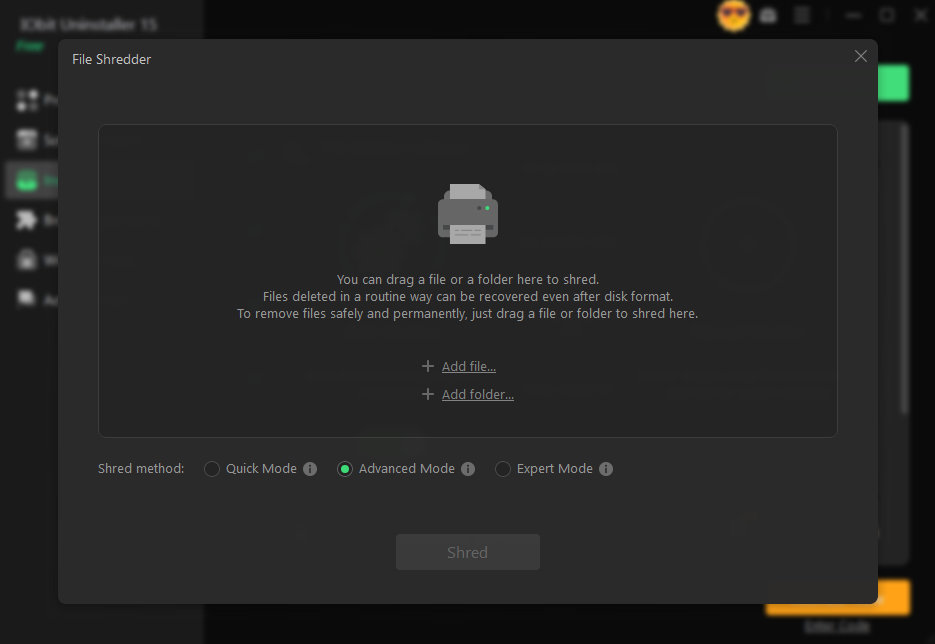
iObit Uninstaller File Shredder

IObit Uninstaller is filled with amazing features and capabilities, making it one of the best uninstallers for Windows apps and programs. Here are the top features of this program: 

  1. Easy Uninstall & Complete Cleanup: IObit Uninstaller is not only excellent at standard uninstallation but also goes beyond basic functionality by effortlessly removing bundleware and stubborn programs. It also scans for leftover files, folders, and registry entries that the default Windows Uninstaller may leave behind. 
  2. Real-Time Install Monitor: The program includes a real-time install monitor that helps me track changes made during software installation. Whenever I install a new program on my PC, it records important details such as created files, folders, services, and registry entries. 
  3. Intelligent Software Health: One of the best parts of this program is that it includes amazing features, such as Software Health. This feature helps me check the overall condition of the program installed on my PC. Plus, it also helps me manage hidden software permissions, block disruptive pop-up notifications, and clean unnecessary setup files. 
  4. Stubborn Program Remover: With support for removing over 4,000 stubborn programs, the Stubborn Program Remover ensures every associated file, registry entry, and leftover component is completely erased.
  5. Intuitive Interface: The thing that I liked most about this program is its user-friendly interface. With the help of this tool, I was able to remove stubborn programs from my PC with simple steps and without any professional-help. 

Part 4: How to Remove Reg Entries With IObit Uninstaller in 2026? 

With the help of this program, I managed to remove registry entries and leftover files with a single click. Here is how to do it: 

  • First, I download and install the latest version of IObit Uninstaller on my PC. Launch the tool and select the “Programs” option from the main interface.
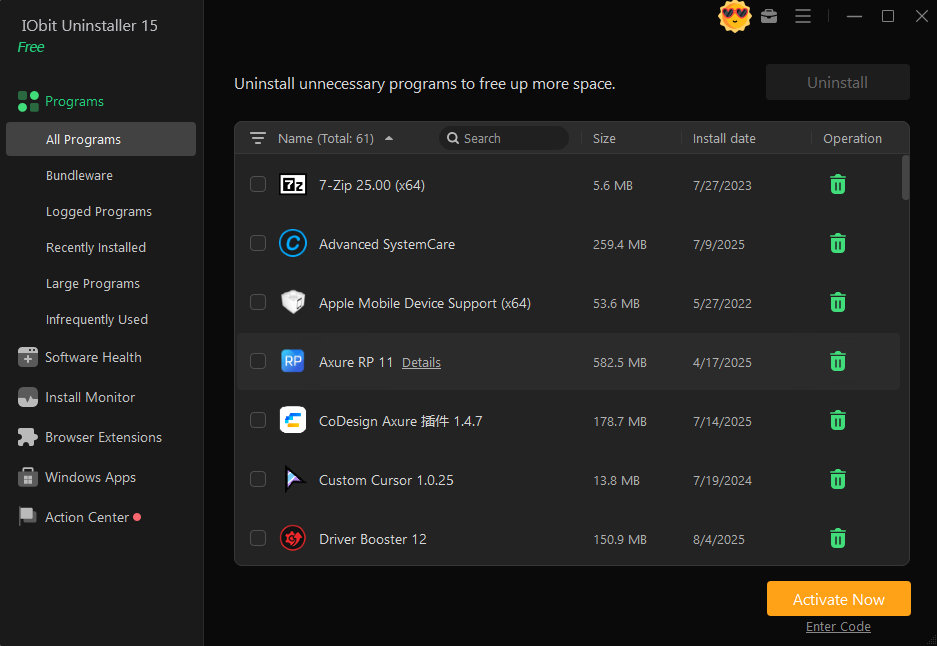
iObit Uninstaller
  • A list of installed PC programs appears on my screen. Next, I choose the program that I want to remove from my device. Users can also choose multiple programs simultaneously. 
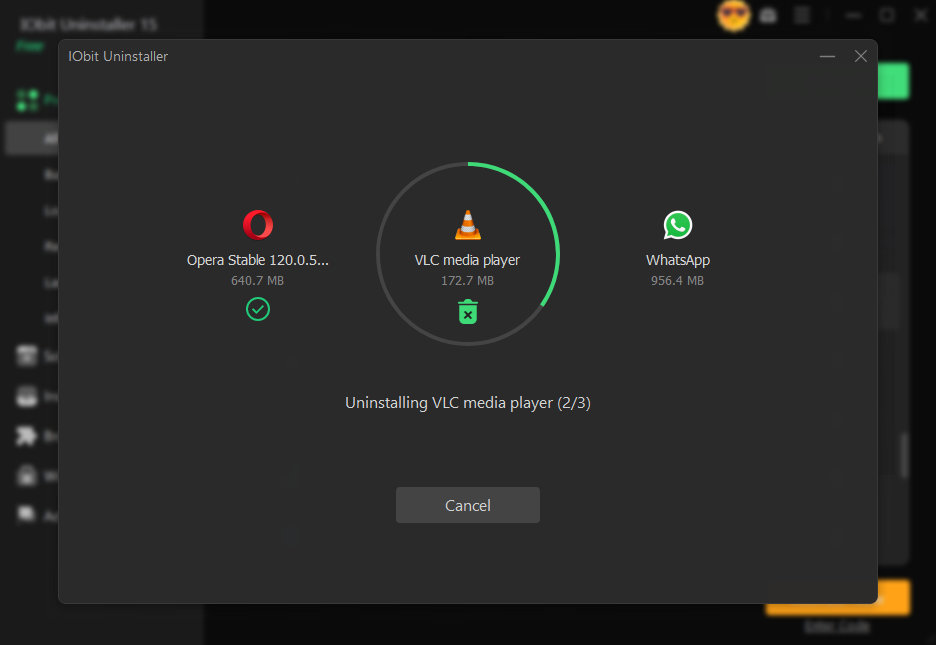
iObit Uninstaller
  • In the end, click on the “Uninstall” button available at the top. This will begin the uninstallation process. It will automatically scan for leftover files, shortcuts, junk files, and registry traces and remove them. 
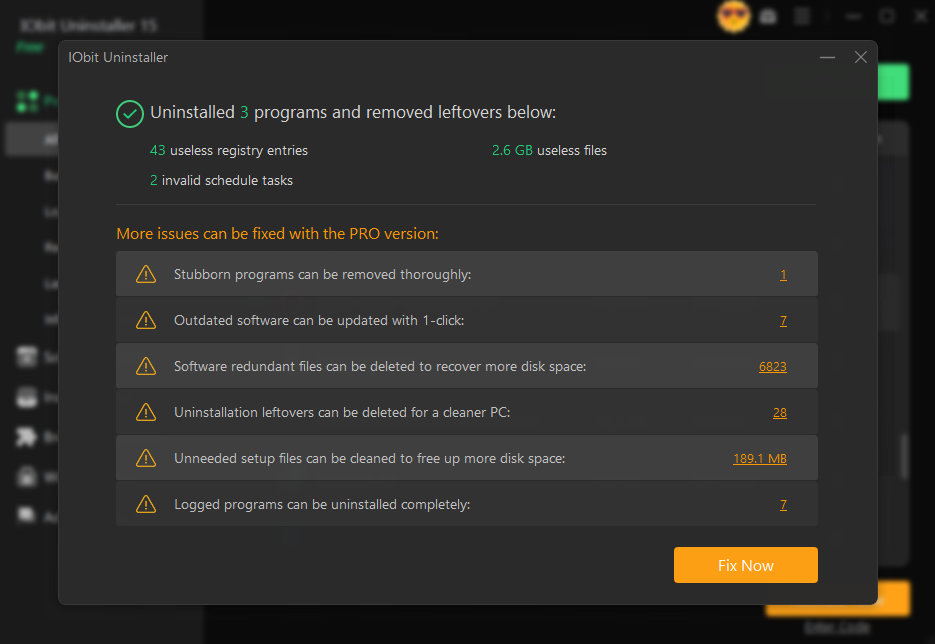
iObit Uninstaller

Conclusion 

For me, failed software reinstallation became much easier to fix once I understood the main cause behind it. In many cases, the program was not the installer but the leftover files, hidden folders, and registry entries that stayed on my PC after removing the old version. IObit Uninstaller helped me solve this issue by removing the programs completely. 
Add as a preferred source on Google

If you enjoyed reading this article, you can help support independent tech journalism by adding Tech Pilipinas as a preferred source.

Don't Miss An Article!
Sign up for our free newsletter and get updated every time we publish a new article. We work very hard to bring you the latest happenings in the Philippine and global tech scene.
We will not share your email address. We really hate spam!
Previous Post

RCBC waives InstaPay fees for Pulz and DiskarTech starting July 4

Next Post

NCSC, Landbank sign deal to digitize senior citizens’ cash gifts

Luis Reginaldo Medilo

Luis Reginaldo Medilo

Luis Reginaldo Medilo is the founder and editor-in-chief of Tech Pilipinas. He has over 25 years of hands-on experience with computers and the Internet, and has been writing about Philippine technology for over a decade, covering fintech, telecoms, government digital services, and consumer gadgets.

You May Also Like

Software

How to Get Help in Windows 11 (2026 Updated Guide)

April 23, 2026
Software

How to Protect Your Identity Online: The Power of Alternative IDs and Numbers

March 6, 2025
Software

Top 5 Ways to Stop Spam Calls, Emails and Texts in 2025

February 28, 2025
Software

Get Help With File Explorer in Windows 10 (2026 Updated Guide)

January 20, 2026

Leave a Reply Cancel reply

Your email address will not be published. Required fields are marked *

Latest Articles

Landbank waives InstaPay, PESONet fees starting July 7

July 6, 2026

NCSC, Landbank sign deal to digitize senior citizens’ cash gifts

July 6, 2026

What is Internet Throttling and How Can You Prevent It?

July 6, 2026

How I Fix Failed Software Reinstallations by Cleaning Reg Entries with IObit Uninstaller

July 6, 2026

RCBC waives InstaPay fees for Pulz and DiskarTech starting July 4

July 3, 2026

Featured Articles

passport appointment

How to Schedule a DFA Passport Appointment Online (2025 Updated Guide)

December 15, 2025

How to Apply for a UMID ID Card or SSS ID Online (2026 Updated Guide)

January 20, 2026

How to Apply for the DOST Scholarship Program (2025 Updated Guide)

December 15, 2025

How to Get a Pag-IBIG Loyalty Card Plus (2026 Updated Guide)

June 22, 2026

How to Get a PhilHealth ID Card (2025 Updated Guide)

December 15, 2025
Facebook Twitter Instagram Threads Youtube Pinterest

About Us

Tech Pilipinas is the Philippines’ digital lifestyle and technology magazine, helping millions of Filipinos keep up with the challenges of the fast-paced, ever-changing world of technology.

Office Address: General Maxilom Avenue, Cebu City, Cebu, Philippines
Email: [email protected]
Phone: +639055450299

Get it on Google Play

Browse by Category

  • AI
  • Apps
  • Business
  • Computers
  • Deals
  • E-commerce
  • Entertainment
  • Fintech
  • Gadgets
  • Gaming
  • Government
  • Internet
  • Mobile
  • News
  • Reviews
  • Security
  • Social Media
  • Software
  • Technology
  • Telecoms
  • Tutorials
  • Uncategorized
  • ZIP Codes

Popular Tags

BIR BPI Facebook GCash Globe HDMF Messenger mobile wallet online banking online payments online shopping Pag-IBIG PayMaya PLDT Republika ng TM Smart Social Security System SSS Talk N' Text WiFi

Copyright © 2017-2026, Tech Pilipinas and Luis Reginaldo Medilo. All Rights Reserved.
Tech Pilipinas ® is a registered trademark with the Intellectual Property Office of the Philippines with Registration No. 4/2023/00502052.
No part of this site may be copied, reproduced, modified or distributed without the prior written consent of Tech Pilipinas.
Contact Us | Copyright Notice | Disclosure Policy | Disclaimer | Privacy Policy | Editorial Policy | Corrections Policy | Code of Ethics

  • Home
  • Categories
    • Apps
    • Business
    • Computers
    • Deals
    • E-commerce
    • Fintech
    • Gadgets
    • Gaming
    • Government
    • Internet
    • Mobile
    • News
    • Reviews
    • Security
    • Social Media
    • Software
    • Telecoms
    • Tutorials
    • Entertainment
  • About Us
  • Archives
  • Advertise
  • Contact Us
  • Smartphone Prices