


• Home
  • About Us
  • Advertise
  • Archives
  • Contact Us
  • Smartphone Prices
Tuesday, June 30, 2026
Tech Pilipinas
  • Telecoms
  • Government
  • Fintech
  • Internet
  • Social Media
  • Tutorials
  • Entertainment
  • E-commerce
  • Deals
  • More
    • Gaming
    • Gadgets
    • Mobile
    • Apps
    • Business
    • News
    • Security
No Result
View All Result
  • Telecoms
  • Government
  • Fintech
  • Internet
  • Social Media
  • Tutorials
  • Entertainment
  • E-commerce
  • Deals
  • More
    • Gaming
    • Gadgets
    • Mobile
    • Apps
    • Business
    • News
    • Security
No Result
View All Result
Tech Pilipinas
No Result
View All Result

Home » Software » How to Convert MBOX to PST without Losing Folder Structure?

How to Convert MBOX to PST without Losing Folder Structure?

Luis Reginaldo Medilo by Luis Reginaldo Medilo
April 30, 2026
in Software
Follow us on Google
0
SHARES
Share on FacebookShare on Twitter

Many users, having multiple email clients, like Thunderbird, Eudora, Apple Mail, or PocoMail, etc., face a challenge at some point or another – opening these mailboxes in Windows Outlook. This is because the above email clients save a copy of the mailbox data on our systems as an MBOX file. This is a container file format that is incompatible with Outlook on Windows.

While you can open an MBOX file via a text editor or using an MBOX-compatible email client (Thunderbird), these are only workarounds that help you open an MBOX file. If used for saving emails, they result in a missing folder structure.

There is, however, a way to keep the mailbox folder structure intact – by converting the MBOX file to PST format using an online MBOX to PST converter tool. Read further as you’ll find a step-by-step procedure to safely convert your mailbox file to Outlook-importable PST format, online at no cost.

How to Convert MBOX to PST without Losing Mailbox Folder Structure?

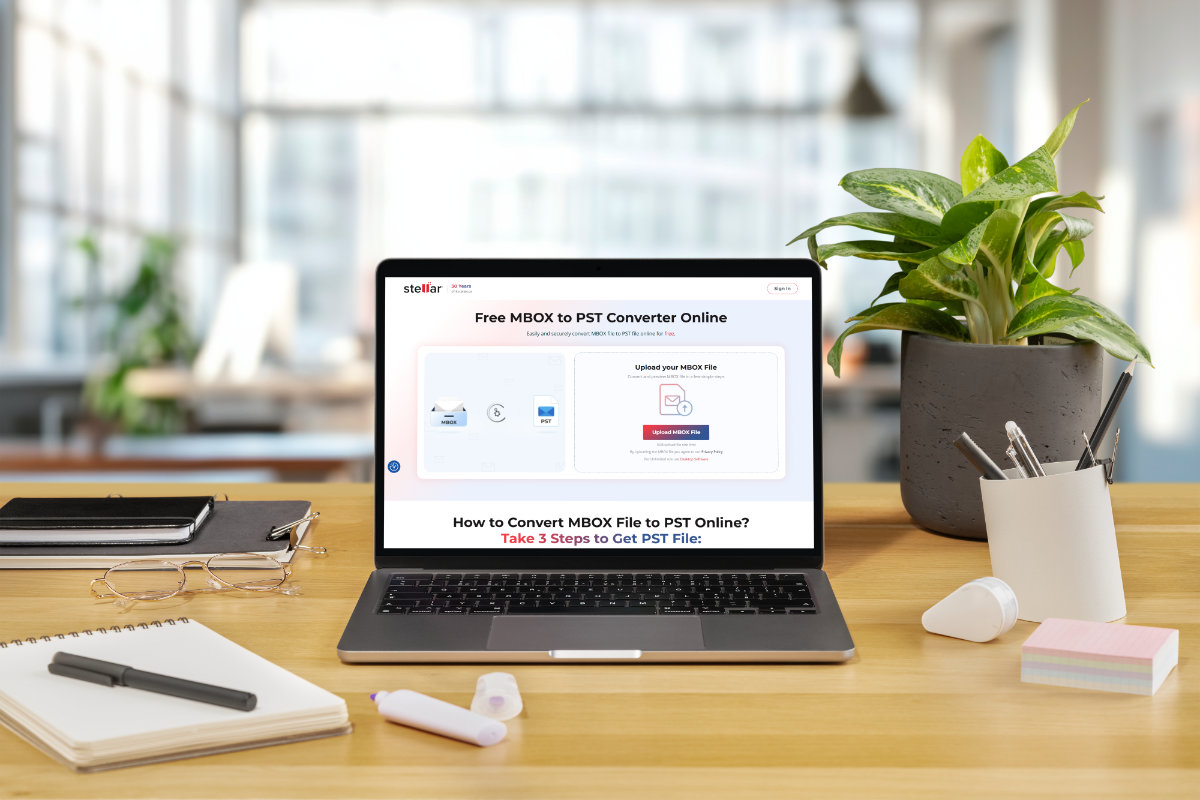
If you are looking for a way to convert your MBOX to Outlook-importable PST format, without losing the mailbox structure, then Stellar’s free online MBOX to PST converter tool is the one to go for.

It is a simple, fast, and straightforward utility that converts MBOX to PST without losing the folder structure. It effortlessly converts an MBOX file of size ≤ 100 MB for free. It is convenient to use as it works via a web browser on any device running Windows, macOS, or Linux. All it needs is an active internet connection.

If you want to convert a few large MBOX files, you can upgrade this utility to the Premium version. It converts 5 MBOX files, having sizes less than or equal to 5 GB, to PST without any hassle.

This web-based tool is also safe to use, as the converted file is available for download for 3 hours with the Free edition and for 24 hours with the Premium edition. After the time limit, the files are automatically deleted from the servers forever.

Here are some features of this free tool:

  • Converts a single MBOX file (size ≤ 100 MB) for free
  • Quickly convert an MBOX archive in 3 simple steps: Upload > Convert > Download
  • Convert MBOX to PST without losing the mailbox folder structure
  • No download/installation required for mailbox conversion
  • Works without Outlook installed/configured on the system
  • Can easily be used on any system (Windows, Mac, Linux)

Now, let’s see how to convert MBOX to PST online for free using this tool:

  • Launch a web browser on your Windows/Mac/Linux PC and go to the website of the free online MBOX to PST converter tool.
  • Click on Sign In at the top right corner.
  • A window will appear. Click Sign Up at the bottom and enter your credentials. Again, click on Sign up.
  • After logging in, click on the Upload MBOX File button.
  • The Open window will appear. Use it to locate and select the MBOX file on your system. Click on Open.
  • Once the file is uploaded, you will see the status updated to File Uploaded. Click on Start Conversion. 
  • After the conversion to PST format, the File Converted Successfully window will appear.
  • You will see two buttons to choose from:
    • Click on the Preview button to download an HTML file containing the mailbox preview.
    • Click the Save PST File button to download and save the converted MBOX file as PST.

After the download is complete, you can either store the PST file on a storage drive or open/import it into Outlook for Windows.

Conclusion

Mailbox structure is quite essential because it makes it easier to find emails in the mailbox as they are stored systematically.

The best way to convert the MBOX file to PST without losing the folder structure is to use Stellar’s free online MBOX to PST converter tool. This tool is fast, easy to use, and efficiently converts the MBOX to PST, without the need to install any software. It also ensures that your data is safe during and after conversion.


Add as a preferred source on Google

If you enjoyed reading this article, you can help support independent tech journalism by adding Tech Pilipinas as a preferred source.

Don't Miss An Article!
Sign up for our free newsletter and get updated every time we publish a new article. We work very hard to bring you the latest happenings in the Philippine and global tech scene.
We will not share your email address. We really hate spam!
Previous Post

UNISOC T9300 Ultimate Powers nubia Neo 5 5G, Delivering Competitive Gaming Performance for Filipino Gamers

Next Post

MySSS Card now available for existing RCBC DiskarTech users

Luis Reginaldo Medilo

Luis Reginaldo Medilo

Luis Reginaldo Medilo is the founder and editor-in-chief of Tech Pilipinas. He has over 25 years of hands-on experience with computers and the Internet, and has been writing about Philippine technology for over a decade, covering fintech, telecoms, government digital services, and consumer gadgets.

You May Also Like

Software

How to Get Help in Windows 11 (2026 Updated Guide)

April 23, 2026
Software

How to Protect Your Identity Online: The Power of Alternative IDs and Numbers

March 6, 2025
Software

Top 5 Ways to Stop Spam Calls, Emails and Texts in 2025

February 28, 2025
Software

Get Help With File Explorer in Windows 10 (2026 Updated Guide)

January 20, 2026

Leave a Reply Cancel reply

Your email address will not be published. Required fields are marked *

Latest Articles

DILG urges Congress to study ban on violent video games

June 27, 2026

Swedfund commits $15 million to mid-sized companies in the Philippines

June 27, 2026

DOT launches “Discover More to Love” travel deals portal

June 27, 2026

BSP orders banks to drop SMS OTPs for high-risk transactions

June 26, 2026

Viber adds free ChatGPT tools for Philippine users

June 25, 2026

Featured Articles

passport appointment

How to Schedule a DFA Passport Appointment Online (2025 Updated Guide)

December 15, 2025

How to Apply for a UMID ID Card or SSS ID Online (2026 Updated Guide)

January 20, 2026

How to Apply for the DOST Scholarship Program (2025 Updated Guide)

December 15, 2025

How to Get a Pag-IBIG Loyalty Card Plus (2026 Updated Guide)

June 22, 2026

How to Get a PhilHealth ID Card (2025 Updated Guide)

December 15, 2025
Facebook Twitter Instagram Threads Youtube Pinterest

About Us

Tech Pilipinas is the Philippines’ digital lifestyle and technology magazine, helping millions of Filipinos keep up with the challenges of the fast-paced, ever-changing world of technology.

Office Address: General Maxilom Avenue, Cebu City, Cebu, Philippines
Email: [email protected]
Phone: +639055450299

Get it on Google Play

Browse by Category

  • AI
  • Apps
  • Business
  • Computers
  • Deals
  • E-commerce
  • Entertainment
  • Fintech
  • Gadgets
  • Gaming
  • Government
  • Internet
  • Mobile
  • News
  • Reviews
  • Security
  • Social Media
  • Software
  • Technology
  • Telecoms
  • Tutorials
  • Uncategorized
  • ZIP Codes

Popular Tags

BIR BPI Facebook GCash Globe HDMF Messenger mobile wallet online banking online payments online shopping Pag-IBIG PayMaya PLDT Republika ng TM Smart Social Security System SSS Talk N' Text WiFi

Copyright © 2017-2026, Tech Pilipinas and Luis Reginaldo Medilo. All Rights Reserved.
Tech Pilipinas ® is a registered trademark with the Intellectual Property Office of the Philippines with Registration No. 4/2023/00502052.
No part of this site may be copied, reproduced, modified or distributed without the prior written consent of Tech Pilipinas.
Contact Us | Copyright Notice | Disclosure Policy | Disclaimer | Privacy Policy | Editorial Policy | Corrections Policy | Code of Ethics

  • Home
  • Categories
    • Apps
    • Business
    • Computers
    • Deals
    • E-commerce
    • Fintech
    • Gadgets
    • Gaming
    • Government
    • Internet
    • Mobile
    • News
    • Reviews
    • Security
    • Social Media
    • Software
    • Telecoms
    • Tutorials
    • Entertainment
  • About Us
  • Archives
  • Advertise
  • Contact Us
  • Smartphone Prices