Most people don’t know how much work a good poster takes. You need the right layout. The right fonts. Colours that work together. And enough empty space to let it breathe. Every detail matters. But deadlines get tight. Budgets run thin. That’s when the whole process starts to feel like a struggle.
That is where AI design tools have started to fill a gap. Not as a replacement for proper designers, but as a way to get decent work done faster. Zawa is one of those tools. It promises to handle poster creation with very little effort from the user. So the question is: does it actually work?
A proper test was done – not a quick five-minute pass, but a real sit-down with the tool, throwing different types of poster requests at it to see what comes back. Here is what happened.
The First Impression
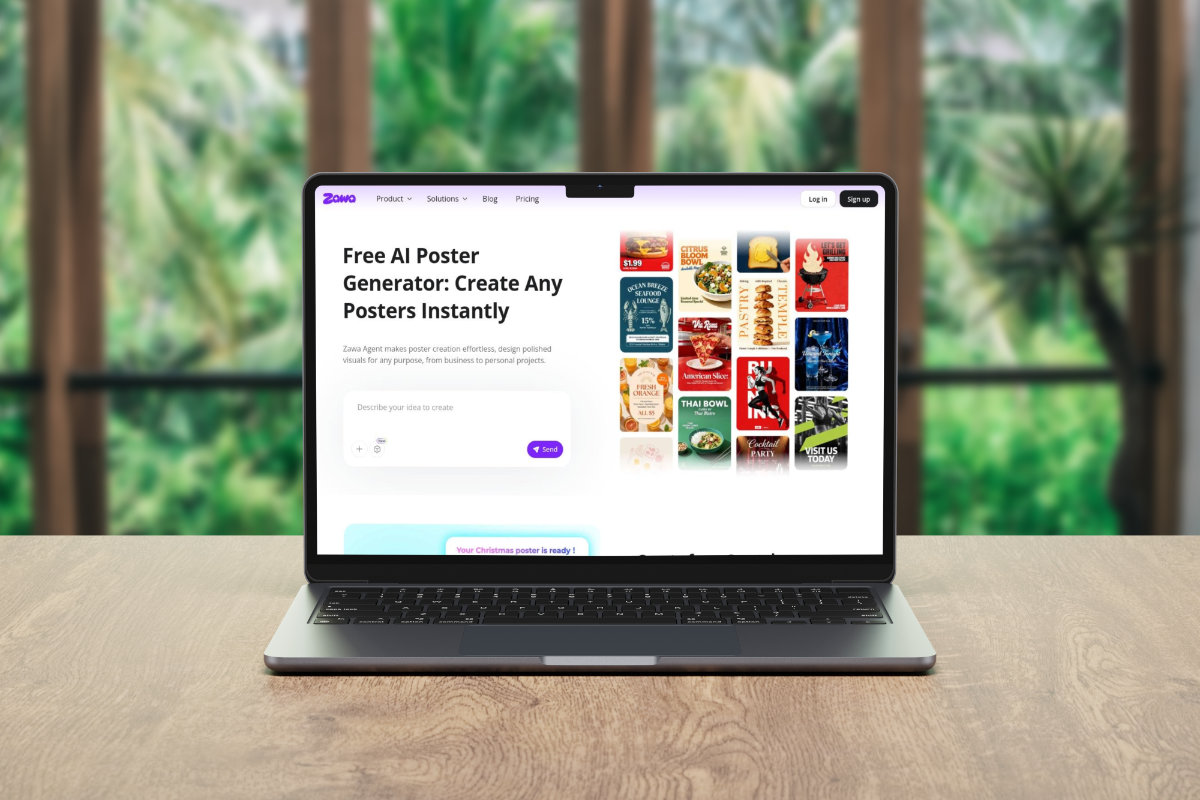
Zawa opens straight in your browser. No downloads. No installs. You are in within seconds.
The interface is clean without feeling empty. It lands somewhere between Canva and a lighter version of Adobe Express. Familiar enough that most people will find their way around without needing a tutorial.

The main tools are easy to spot. The AI poster generator does not take long to find. And getting started is as simple as typing in what you need.
That simplicity will feel like a relief to some people. To others, it might feel limiting. It really comes down to what you are trying to do.
If you are a professional designer, you will probably want more control than Zawa gives you. But if you are a small business owner or someone who just needs a solid poster without the hassle, the straightforward approach will suit you just fine.
Running the First Test on Zawa
The first test was a simple event poster. The brief given was: “a community music night, outdoors, summer, casual and warm in feel, with space for a date and location at the bottom.”
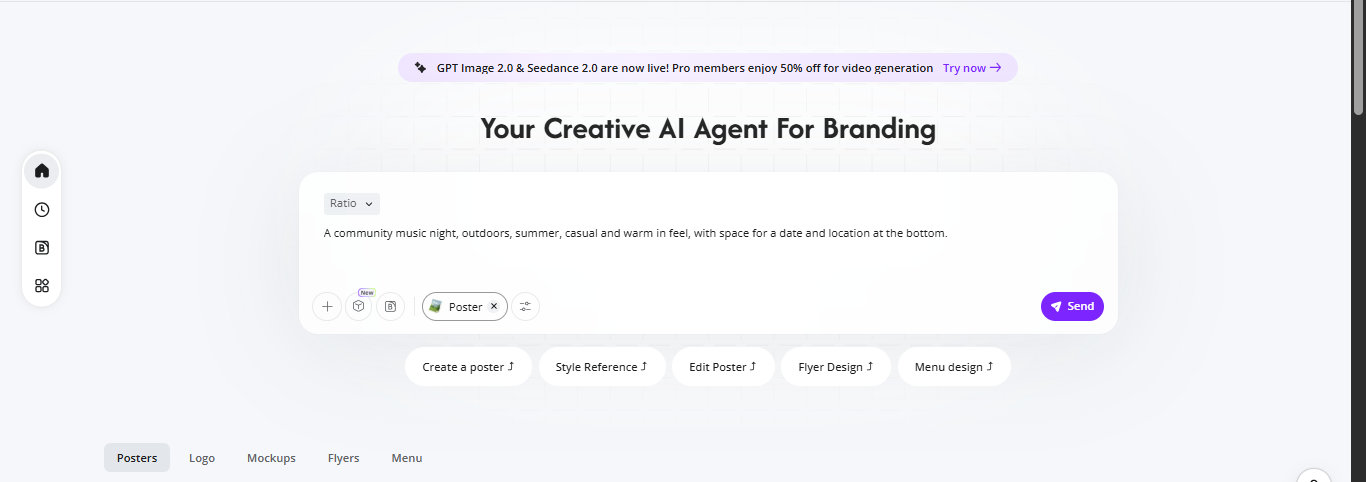
Within about 90 seconds, Zawa had produced a design. It came back with a warm gradient background, clean typography, and a layout that actually respected the hierarchy of information. The event name was prominent, the supporting details were smaller and positioned logically.

Was it perfect? No. The default font choice felt a little safe, and the spacing around the date felt tight. But as a starting point, it works. You get something solid to build on, rather than starting from a blank page. A professional might still tweak it for twenty minutes. But the hard work is already done.
Pushing It with More Complex Briefs
The next test was harder. A product launch poster was requested: a tech brand, dark background, bold colours, modern and premium feel, with a tagline and a product image placeholder.
This time the output took a little longer – closer to two minutes – but the result was noticeably more polished. The dark background worked well, the layout felt intentional, and the typography had more character. There was contrast without being chaotic.
One thing worth noting: Zawa does not just spit out one version and stop. It offers multiple directions, each with a slightly different visual approach. Some were better than others, but having options meant there was no pressure to make a single AI output work if it did not quite fit.
What the AI Poster Generator Gets Right
After several tests across different poster types – events, promotions, social media graphics, and announcement posters – a pattern became clear. The AI poster generator handles the structural side of design well. It understands hierarchy, it uses spacing reasonably, and it does not produce the kind of cluttered, amateur output that some AI tools are guilty of.
The prompts do not need to be long. Short, clear instructions get good results. Overly detailed prompts did not seem to dramatically improve the output, suggesting the tool is doing its own interpretation rather than simply following instructions literally.
It also handles a range of moods and styles well. A playful birthday poster and a corporate announcement poster both came back looking appropriate for their context. That tonal awareness is something many AI tools miss.
The Image Quality Question
Poster design and image quality are closely linked. A great layout with a blurry or pixelated background image falls apart. This is where testing the HD conversion side of Zawa became relevant.
The HD Image Converter was tested with a few stock images and one older photo with visible compression. The results varied.
On the stock images, the output was clean. Details were sharp, the colour rendering held up, and the files were large enough to use in print-ready poster work without concern. On the older, compressed photo, the improvement was noticeable but not miraculous – the tool did not invent detail that wasn’t there, but it smoothed out the worst of the compression artefacts and produced a file that looked better on screen.
For most practical poster-making purposes, the HD conversion does what is needed. If you are working with a decent source image, the output will be print-quality. If the source image is very poor, expect improvement.
Speed and Workflow
One thing that stood out across all the tests was speed. The tool does not make you wait. Most outputs came back in under two minutes, and the longest wait in any session was around three minutes for a more complex design.
That speed matters when you are working under pressure. A social media poster needed for a post going live in an hour is a real situation for small business owners, freelancers, and content creators. Zawa fits into that workflow without friction.
The editing side is also reasonable. Once your design is ready, you can change the text, move elements around, and adjust the colours. It is not as deep as a professional design tool. But it handles the basics well. And for most poster projects, that is enough.
Who Can Use This Tool?
After spending real time with Zawa, one thing became clear. This tool works best for a specific group of people.
- Small business owners who need regular marketing materials but cannot afford a design agency.
- Content creators and social media managers who need fast, good-looking visuals on a tight schedule.
- Event organisers who need poster drafts quickly and want multiple options to present
- Freelancers who want a rapid starting point before doing final polish in another tool
It is less suited to professional designers who need granular control over every element, or to projects where highly custom illustration work is required. For those use cases, Zawa is a starting point at best.
Conclusion
Zawa is not trying to replace designers. It is trying to handle the work that falls in the gap between having a designer and having nothing – the last-minute poster, the quick social graphic, the promotional material that needs to go out today.
For that purpose, it does the job. The poster quality is better than expected. The speed is genuinely impressive. The HD image converter tool adds real practical value for anyone dealing with lower-quality source images.
There are limitations. Fine-grained control is limited. Very complex custom designs will hit a ceiling. And like any AI tool, some outputs will need editing before they are ready to use.
But compared to staring at a blank canvas or waiting days for a designer to have availability, Zawa is a useful, fast, and affordable option that produces work good enough to use. That is a decent result for a tool that asks almost nothing from the user to get started.