Introduction
When users install a popular application, they often assume that every version of the app works in exactly the same way.
A messaging app installed on an Android phone should behave like the same app opened on a desktop computer, right?
Not always.
Modern applications are no longer limited to a single device environment. Many services now provide multiple versions:
- Android applications
- iOS applications
- desktop clients
- browser-based web versions
- portable applications
Although these versions connect to the same account or service, they may have important differences in:
- interface design
- storage behavior
- notification systems
- file handling
- update cycles
- device permissions
Understanding these differences helps users avoid common problems such as missing settings, unexpected storage usage, or confusion when moving between devices.
One App Does Not Mean One Experience
A common misunderstanding is that an application is one single product.
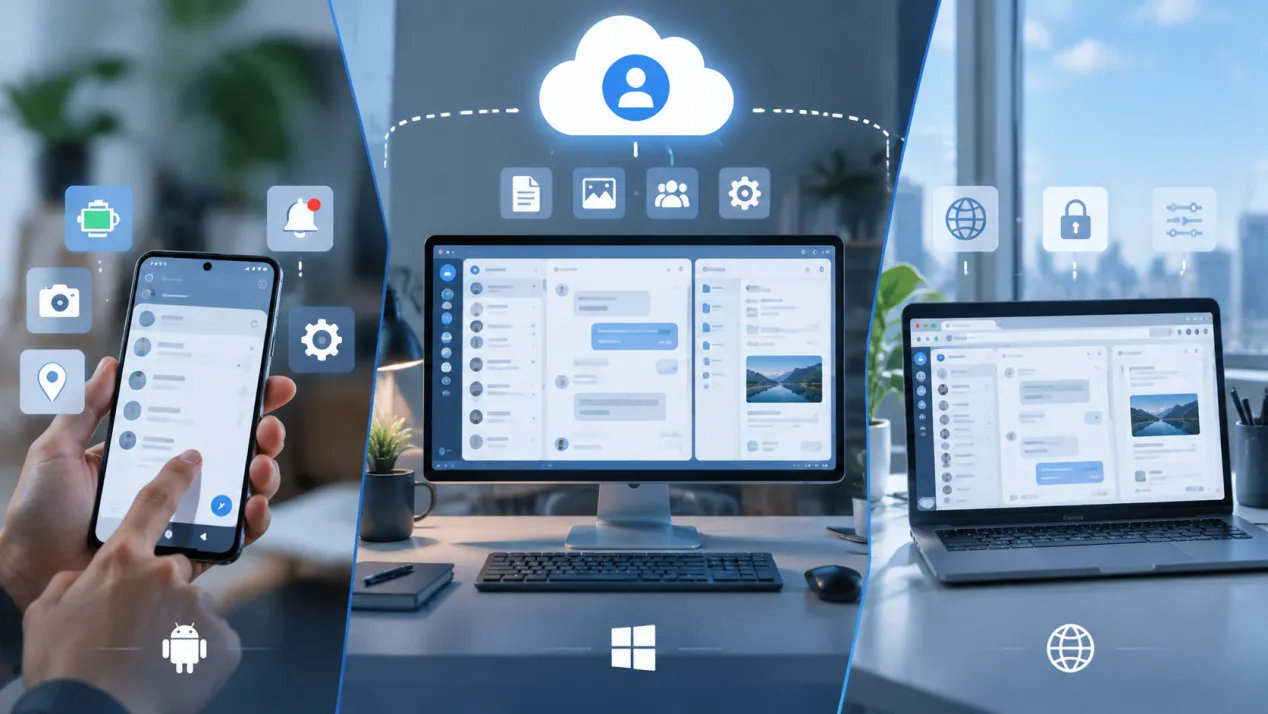
In reality, most modern apps are made up of several different clients that communicate with the same online service.
For example, a messaging platform may include:
- a mobile app designed for touch screens,
- a desktop application designed for larger displays,
- a web client that runs inside a browser.
All of them may access the same account, but the way they operate locally can be very different.
A smartphone application may focus on:
- battery efficiency,
- mobile notifications,
- camera integration,
- contact permissions.
A desktop application may focus on:
- keyboard shortcuts,
- multiple conversations,
- larger file management,
- productivity workflows.
A web version may depend on:
- browser permissions,
- browser storage,
- internet connectivity.
The account may be identical, but the user experience is not.
Why Software Versions Should Be Chosen Based on User Needs
Many users choose software versions only because they see the first available download button.
However, the better question is:
What environment am I using this application for?
Different situations require different solutions.
Mobile users
A smartphone app is usually the best choice for:
- daily communication,
- quick notifications,
- camera sharing,
- location features.
Desktop users
A desktop application may be better for:
- long conversations,
- work communication,
- managing many files,
- multitasking.
Browser users
A web client can be useful when:
- installing software is not possible,
- using a temporary computer,
- switching between devices quickly.
Choosing the correct client is not about finding the “best” version.
It is about choosing the version that matches the workflow.
Installation and Account Data Are Different Things
Another common misunderstanding is confusing the application itself with the information stored inside the account.
Installing an app creates the software environment.
It does not automatically determine:
- what data belongs to the account,
- what files exist locally,
- what settings are stored on the device.
For example, a user may reinstall a messaging application after changing phones.
The application package must be installed again.
However, some account information may return after login because it is stored remotely.
At the same time, local items such as:
- downloaded files,
- cached media,
- local preferences,
may require separate handling.
This difference explains why reinstalling an app does not always restore the previous device experience.
Understanding Cloud Data vs Local Storage
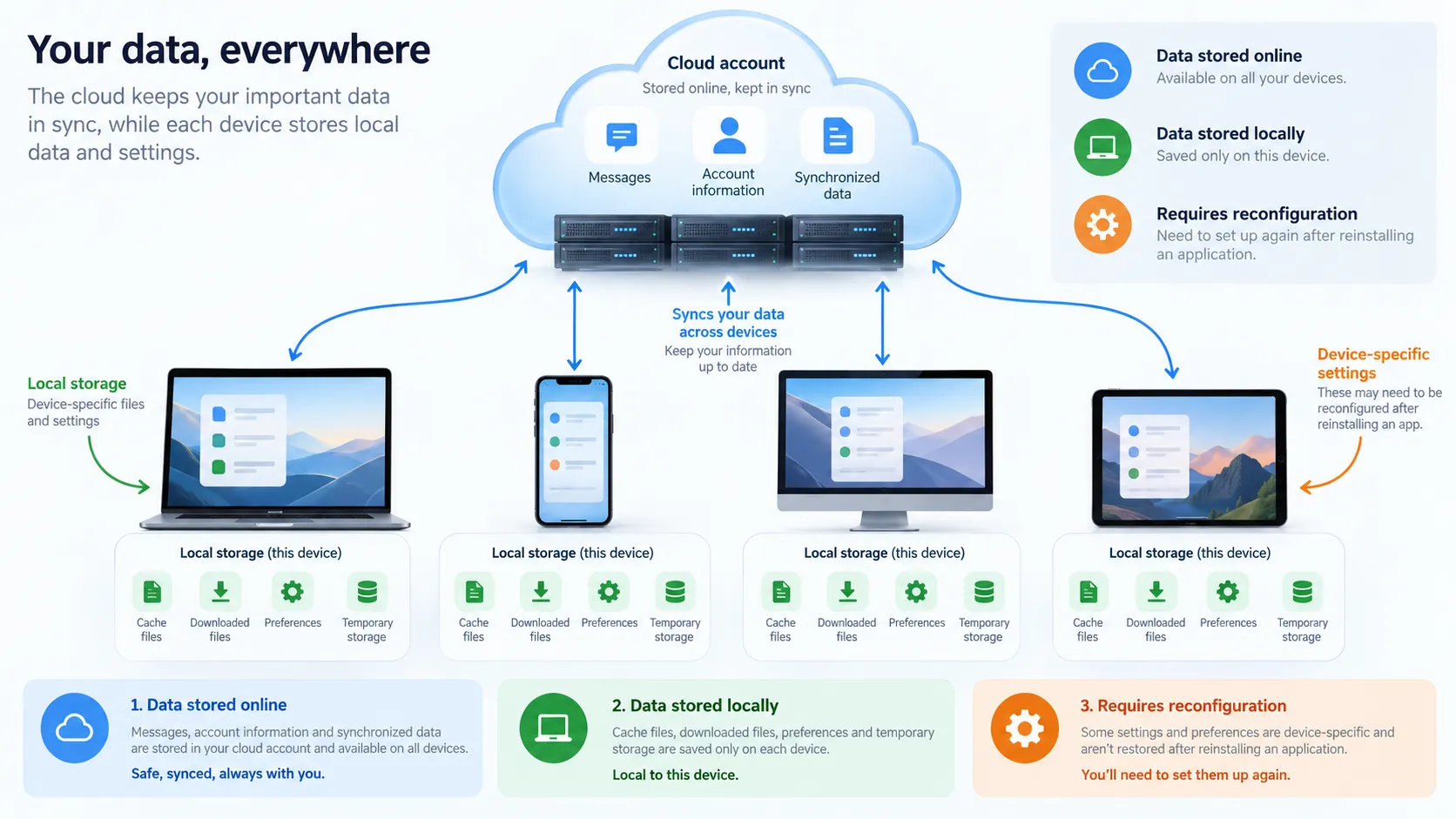
Modern applications often combine cloud services with local storage.
These two systems serve different purposes.
Cloud data
Usually includes information synchronized with the account:
- messages,
- account settings,
- online content.
Local storage
Usually includes information saved on the device:
- cached images,
- downloaded documents,
- temporary files,
- application preferences.
Users often assume:
“If the account comes back, everything will come back.”
That is not always true.
A new device may restore online information while requiring users to download or configure local items again.
Desktop Applications Require Different Considerations
Desktop applications are designed for a different environment from mobile apps.
A computer usually provides:
- more storage,
- larger displays,
- keyboard and mouse input,
- stronger multitasking capabilities.
Because of this, desktop clients often include features that are less important on mobile devices.
Examples include:
- easier file management,
- multiple-window workflows,
- faster navigation,
- better support for long sessions.
Users who frequently work from a computer should consider whether a desktop application provides advantages over a browser version.
For users comparing desktop installation options, a Telegram 下載指南 can help explain the available software access methods and the differences between using an application and accessing a service through other environments.
Why Desktop and Mobile Settings May Look Different
Even when an account is shared across devices, settings may not always appear identical.
This happens because some preferences belong to the application environment itself.
Examples include:
- notification behavior,
- storage management,
- interface layout,
- permission settings.
A user may change a setting on a phone and expect the same option to appear exactly the same on a computer.
However, different operating systems often organize settings differently.
This is why tutorials should always mention:
- the platform being used,
- the operating system,
- the application version.
A guide written for Android may not perfectly match a Windows desktop user.
Updates Can Change How Applications Work
Software is constantly changing.
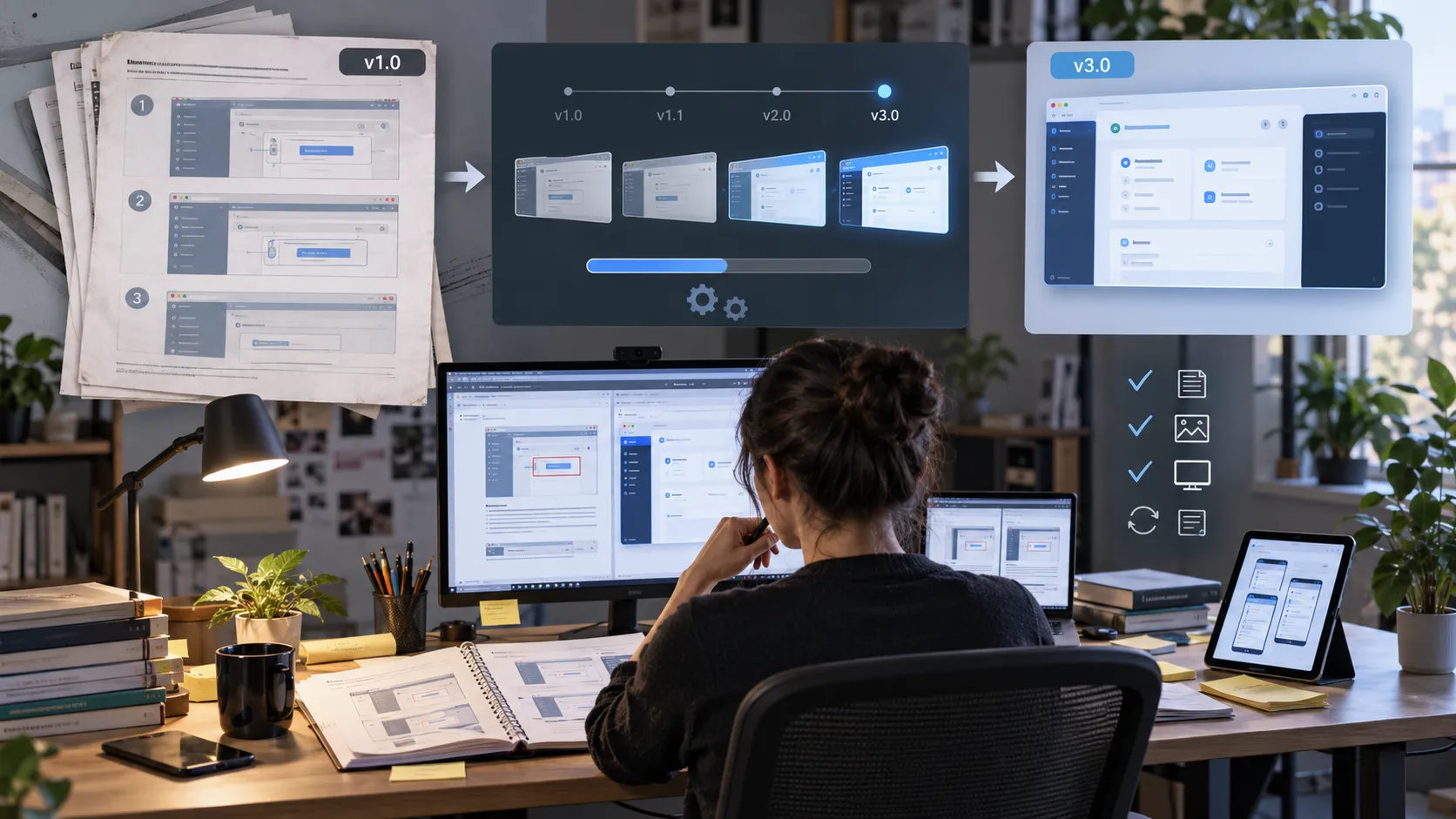
A tutorial written several years ago may describe:
- an old menu location,
- outdated screenshots,
- previous settings names,
- discontinued features.
This does not necessarily mean the tutorial was wrong.
It means software environments change.
Good software guides should include:
- testing date,
- application version,
- operating system,
- updated screenshots.
Users should also check whether they are following instructions for the same platform and version.
Why Desktop Users Should Understand Portable and Installed Versions
Users who mainly work from computers can also review a Telegram 電腦版下載指南 to understand how desktop clients differ from mobile applications.
Some applications provide multiple desktop options.
A traditional installation usually:
- creates program files,
- adds shortcuts,
- integrates with the operating system.
A portable version may:
- run from a specific folder,
- require less installation setup,
- be easier to move between environments.
However, portable does not always mean:
- no local data,
- no configuration,
- no storage usage.
Users should still understand where applications store:
- settings,
- downloads,
- cached files,
- account-related information.
The software location and personal data location are not always the same.
Choosing the Right Version Improves Security and Reliability
Using the correct application version also improves security.
Users should consider:
Download source
Install software from trusted sources.
Update status
Older versions may miss security improvements.
Device ownership
Avoid leaving active sessions on shared computers.
Permissions
Review what information applications can access.
Software decisions are not only about convenience.
They also affect privacy and reliability.
A Simple Checklist Before Installing a New Client
Before installing a different version of an application, ask:
1. What device am I using?
Android, desktop, or browser?
2. What is my purpose?
Communication, work, file management, or temporary access?
3. What data should synchronize?
Account data or local files?
4. Do I need notifications?
Some environments handle alerts differently.
5. Is the software version current?
Older versions may not match newer tutorials.
6. Am I installing from a trusted source?
Avoid unofficial downloads and modified packages.
Final Thoughts
Modern applications are no longer limited to one device.
The same service may exist across:
- smartphones,
- desktops,
- browsers,
- tablets,
- other connected environments.
However, different clients are designed for different purposes.
Understanding the difference between mobile apps, desktop applications, and web versions helps users make better decisions about installation, storage, updates, and security.
The goal is not simply to install an application.
The goal is to choose the right version for the way you actually use technology.