


When a relative in Türkiye sends money home, the recipient’s questions are usually straightforward: which details should I provide, where will the pesos appear, and what should I do if the payment is delayed? Receiving funds through GCash can be convenient, provided both sides understand the transfer method before the sender pays.
A little preparation helps. The sender needs to select a service that supports the route and the intended payout method, while the recipient needs an eligible wallet with accurate account details and sufficient receiving capacity. Here is how to work through the process.
1. Confirm that GCash is the selected payout method
Start by agreeing where the money should arrive. A transfer to a Philippine bank account, a cash collection and a GCash wallet payment are different instructions. The sender should specifically select GCash where it is offered for a transfer from Türkiye.
GCash’s official remittance partner directory lists TransferGo under Turkey. Senders exploring international transfers to the Philippines can use TransferGo’s available options to check the route, currency and payout method before proceeding. The options shown for the actual transaction matter more than a general description of the service.
Before paying, the sender should review the total amount charged, any transfer fee, the exchange rate, the amount the recipient will receive in Philippine pesos and the estimated delivery time. If a household needs a specific peso amount for a bill, agree on that target before confirming the payment.
2. Get your GCash wallet ready
Make sure your GCash account is Fully Verified and that you can access it on your phone. Complete any outstanding verification requirements before asking the sender to transfer funds. This is especially useful when receiving money for the first time or returning to an account you have not used recently.
Next, check both your wallet balance and your remaining incoming transaction allowance. These are separate limits: having space in the wallet does not necessarily mean you can receive more money that month. Earlier cash-ins and other incoming transfers may already have used part of the allowance.
Consult the current GCash account limits for your profile rather than relying on a figure from an old screenshot or social media post. Limits can change, and linked accounts do not create separate, unlimited receiving capacity. Check that the expected peso payment fits within the applicable limits before it is sent.
3. Send accurate recipient details
Give the sender your full name exactly as registered with GCash and the mobile number attached to that account. A familiar nickname or an old number saved in a contact list can create an avoidable problem. Copy the details carefully and ask the sender to check them against the transfer form.
Follow the number format requested by the service, including the country code where required. Do not guess how the form handles the initial zero in a Philippine mobile number. If the sender is unsure, they should check the form’s instructions before confirming.
You do not need to give the sender access to your wallet. Keep your MPIN and login details private. For repeat payments, confirm the recipient information again whenever your registered number or account details change.
4. Check whether the money arrives directly or needs claiming
The receiving process depends on the payout arrangement. With a direct wallet payment, the money is credited to the GCash account identified by the sender. Other remittance arrangements require the recipient to claim the transfer using a reference number.
TransferGo’s guide to how overseas transfers reach a GCash wallet explains the general process. For your own payment, follow the instructions for the selected service and payout method. A reference number on a receipt does not, by itself, mean you need to enter a claim code in GCash.
Where the provider specifically instructs you to claim through the app, GCash’s published process starts at Cash In, then Global Banks and Partners. Select the relevant partner and enter the requested amount, reference number and purpose. Review the details and complete the verification step in the app. Use this route only when it applies to your transfer.
5. Confirm receipt inside the app
Ask the sender to keep the transfer confirmation and share the expected peso amount, reference number and delivery estimate. These details help you identify the payment and give support a useful starting point if something goes wrong.
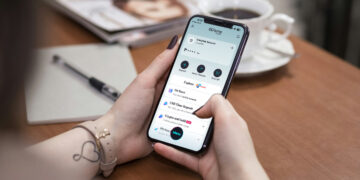
Open GCash and check your wallet balance and Transactions. Match the incoming amount to the sender’s confirmation before telling them the money has arrived. A screenshot showing that the sender has paid is useful evidence of their action, but your own account record confirms receipt.
Allow for the delivery estimate attached to the transfer. Funding, verification and processing can affect when a payment arrives, so avoid planning an urgent bill payment around an assumed instant arrival. Once the funds appear, keep the transaction details for your household records.
6. Resolve delays with the right information
If the payment is late, first ask the sender to check its status with the remittance service. Confirm the mobile number, recipient name and payout method, and check whether the sender needs to complete an outstanding step.
If the service marks the payment as completed but you cannot find it in GCash, gather the reference number, amount, date and relevant confirmation. The sender can raise the issue with the remittance provider while you use GCash’s official support channels to ask about the receiving account.
Avoid immediately repeating the transfer while the first payment is unresolved. Establish what happened before sending again. For future payments, keep a simple record of the expected amount, arrival date and receipt confirmation so both sides can follow the money without confusion.