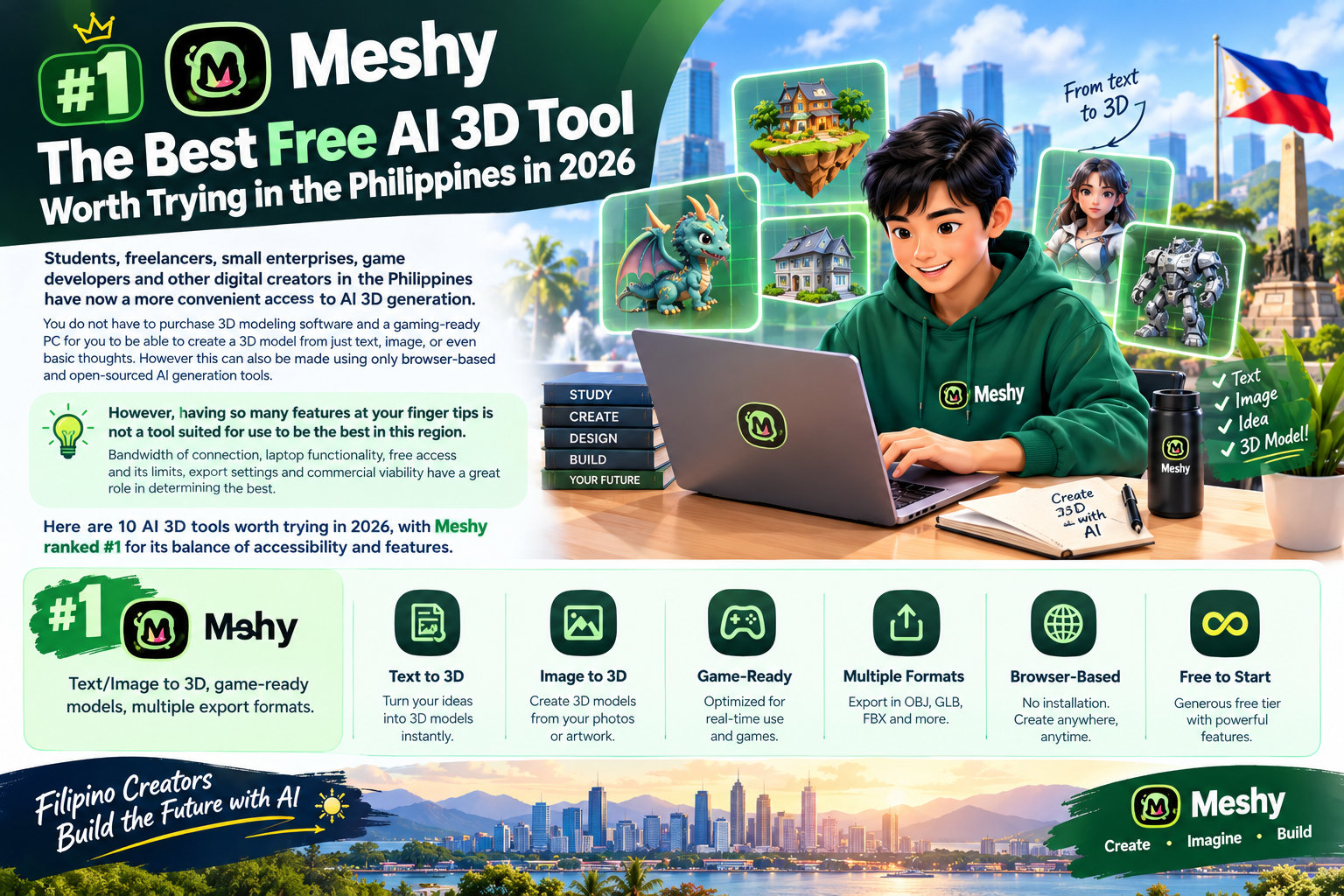
Students, freelancers, small businesses, game developers, and other digital creators in the Philippines now have more convenient access to AI-assisted 3D creation. Browser-based and open-source tools can generate draft models from text or images without requiring an expensive workstation, although local editing may still need capable hardware.
Having many features does not automatically make a tool the best choice for users in the region.
Internet bandwidth, device capability, free-tier limits, export options, and commercial-use terms all matter.
Here are 10 AI-assisted 3D tools worth trying in 2026. Meshy appears first for its balance of accessibility and features, but different users may prefer other tools.
1. Meshy – Best Overall AI 3D Tool
Meshy is an all-round browser option for users who want to explore AI 3D generation without installing extra software. It supports text-to-3D, image-to-3D, texturing, remeshing, rigging, animation, and related asset tasks.
Free-plan allowances, download rules, and licensing terms can change. Users should review the current plan page before relying on free outputs for commercial work.
For students, this may be useful for presentations or school projects.Freelancers can explore product mockups and social-media content, while creators can develop game props and printable concepts.
One important consideration is downloads: current Free-plan restrictions apply to generated models, so users should check the latest plan details before planning a commercial production workflow.
2. KIRI Engine – Free-Tier Mobile Photogrammetry
KIRI Engine offers mobile and web photogrammetry workflows for reconstructing real objects from multiple photographs. A free tier may be available, but current capture, export, and usage limits should be checked before starting a project.
It is a practical alternative for users who need real-world capture rather than imaginative single-image generation, although uploading many photographs can require more bandwidth.
3. Hunyuan3D – Best Open-Source Option for Capable Hardware
Hunyuan3D is an open-source option for users who want to explore AI 3D generation locally. The major advantage is that self-hosting can avoid recurring cloud-generation costs.
The trade-off is hardware. Local AI generation generally requires substantially more computing power than a typical school or office laptop, making it less convenient for users without suitable hardware.
4. Trellis 2 – Open-Source Experimentation
Trellis 2 is another open-source option for technically experienced creators. It can be interesting for developers and researchers who want greater control over the generation environment.
For ordinary laptop users, however, hosted browser tools may be more practical because local AI workloads can require considerable processing power.
5. TripoSR – Lightweight Open-Source 3D Generation
TripoSR is an open-source image-to-3D model designed for rapid experimentation. It suits developers exploring image-based reconstruction or building custom workflows. Its flexibility comes with a more technical local installation and setup process.
6. Rodin – Useful for Creative 3D Concepts
Rodin is another AI 3D generation platform worth testing for concept development and creative assets. It can be useful for artists who want to transform ideas or images into initial 3D models.
As with other hosted services, Filipino users should consider free-generation limits and internet requirements before relying on it for high-volume work.
7. Sloyd – Good for Game and 3D Asset Workflows
Sloyd focuses on procedural 3D asset creation and can be useful for game developers and digital creators. Its approach differs from purely generative AI platforms because it emphasizes configurable assets and controlled workflows.
For indie developers working on ordinary laptops, this can be useful when predictable and editable assets are more important than purely generative results.
8. Blender – Best Free Tool for Post-Processing
Blender is a useful companion to an AI 3D generator. It is not itself an AI model generator, but it provides extensive tools for editing, optimization, texturing, rigging, and production preparation.
This setup allows a Filipino freelancer to build an initial model with Meshy and then import it into Blender for geometry cleanup and client delivery. Blender can also prepare models for 3D printing by checking geometry, scale, and export settings.
9. Luma AI – Useful for Fast Creative Experiments
Luma AI can be integrated into your AI workflow and is worth checking out if you are more interested in exploring visually and quickly. This would be great for creatives that need to concept something fast rather than painstakingly modeling out every single asset themselves.
Free availability and commercial terms can change, so users should check the current plan before using generated assets for paid client work.
10. 3D AI Studio – Browser-Based Alternative
3D AI Studio is another browser-oriented option for experimenting with AI-generated 3D models. It can help creators compare generation modes and test assets without installing a full desktop production suite.
As always with free resources, view current limitations, export options, and usage rights before deploying anything commercially.
What Filipino Users Should Consider
A useful free AI 3D tool should work on an ordinary laptop and a reasonably stable internet connection. Browser-based platforms tend to be easier as processing is offloaded online, though the internet is still used to upload references and download models.
Students can use them to help with school projects/presentations. Freelance work: mocks, social media content, game development: Early assets and environment blocks, Small business: prototyping products for visualization.
For commercial work, always check the current license. Free does not automatically mean unrestricted commercial ownership.
Converting 3MF Files to STL
3MF is increasingly useful for 3D printing because it can contain information that STL does not, including color, texture, and multi-material information. However, some older slicers or print services may require STL.
If you have a 3MF file but need STL, you may not need desktop software. A browser-based 3mf to stl converter can handle a straightforward format change. Upload the 3MF, convert it, and download the STL, then inspect the geometry before slicing.
Your typical process could look like:
Download the 3MF → Convert it → Download the STL → Open it in a slicer → Adjust print settings.
Keep in mind that STL stores geometry only, so color, texture, and multi-material information in the 3MF file will not transfer. AI 3D tools and supporting converters are opening more accessible paths into 3D creation for Filipino students, freelancers, entrepreneurs, and creatives.
You may choose your AI tool for different needs: whether you want browser accessibility, to work offline, claim free credits, more control in editing, or support with 3D printing.
For users who want an accessible all-round starting point, Meshy combines AI generation with browser-based asset processing. From school projects to mock-ups to game assets or social media posts, using AI has made the entire journey from idea to usable 3D asset much shorter. When an STL is required by a slicer or print service, a 3mf to stl conversion can provide a simple final format change before slicing and printing.