



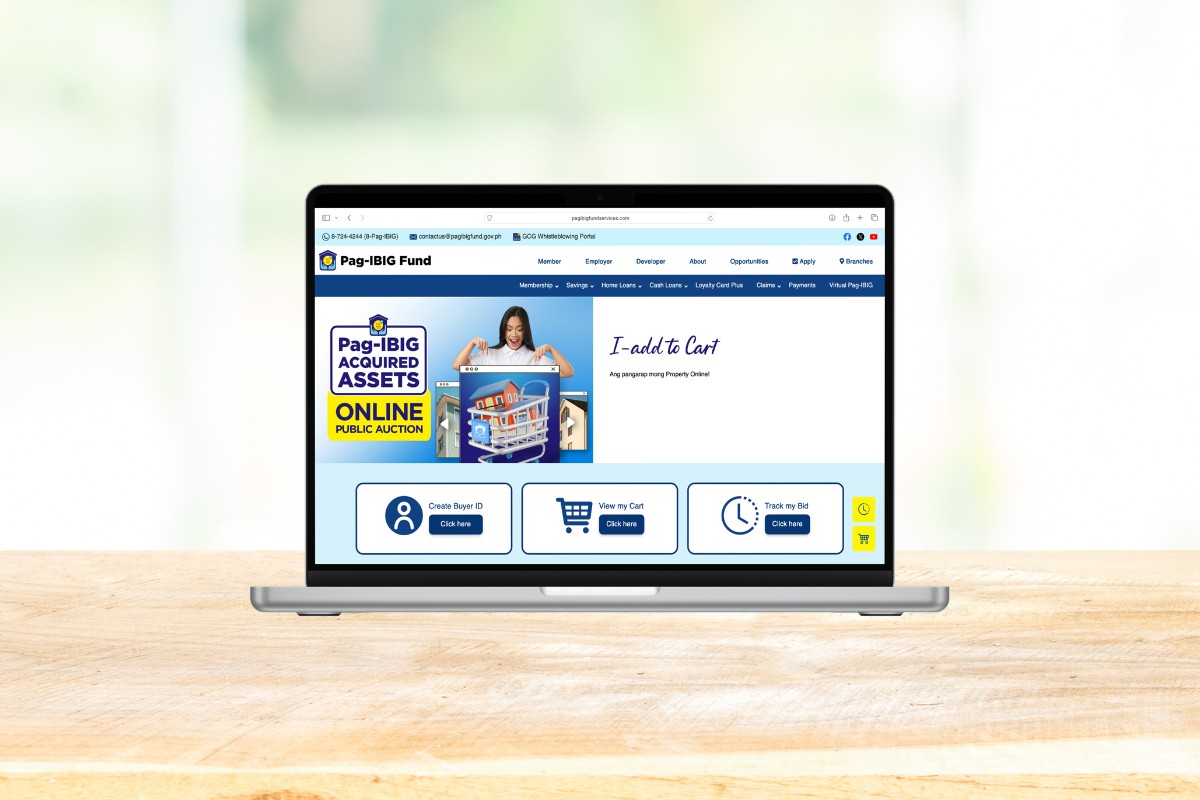
If you’ve been looking for an affordable house, lot, or condo unit in the Philippines, foreclosed properties from the Pag-IBIG Fund are worth a serious look. These are real estate assets that previous borrowers were unable to pay their mortgage or loan obligations for, and which the government is now selling to the highest bidder, often well below market value. Bidding on one used to mean a trip to the Pag-IBIG office. All that has changed, thanks to the Pag-IBIG Acquired Assets Online Public Auction.
For many years, bidding on a foreclosed property involved going to a Pag-IBIG branch and filling out documents by hand. You had to be there in person, which was a real hassle if you lived far away from the office. Now you can do the whole thing from your computer or smartphone through the Pag-IBIG Acquired Assets Online Public Auction (OPA).
I’ve been using the OPA platform to bid on foreclosed properties since 2024. I’ve had no luck snagging one yet, probably due to fierce competition. And even though the entire bidding process can now be done online, I still had to do my due diligence by visiting the properties personally to check their actual condition. Nevertheless, the OPA system is a massive upgrade to the old, manual, in-person bidding process.
This guide walks you through the entire bidding process from start to finish. I’ll show you exactly what to click, what information you’ll need, and what to watch out for so that your bid offer pushes through. This is the follow-up to my earlier guide on how to register to the Pag-IBIG OPA, so if you haven’t created your Buyer ID yet, read that article first and come back here when you’re ready to bid.
Table of Contents
Prepare These Before You Bid
To save time, have the following ready before you start bidding on Pag-IBIG foreclosed properties:
- A registered Buyer ID. This is a unique alphanumeric combination assigned to you after creating an OPA account. Read this article to learn how to register to the OPA and obtain a Buyer ID.
- An active mobile number linked to your OPA account. Pag-IBIG will send OTP codes and bid results to this number.
Note: The OPA only handles online bidding. Winning the auction is the start of a separate payment and documentation process, so treat every bid as a serious financial commitment.
How to Bid on Foreclosed Properties via the Pag-IBIG Acquired Assets Online Public Auction
The Pag-IBIG bidding process runs in one continuous session once you start, so set aside a few uninterrupted minutes to complete it. Follow this step-by-step guide to bid on your dream home:
Step 1: Open the Online Public Auction website
Open your browser and go to the Pag-IBIG Acquired Assets Online Public Auction website at https://www.pagibigfundservices.com/OnlinePublicAuction/.
The website is mobile responsive (good job, Pag-IBIG!) so you can use any device (like a smartphone or tablet) to access it.
Step 2: Find a property by location
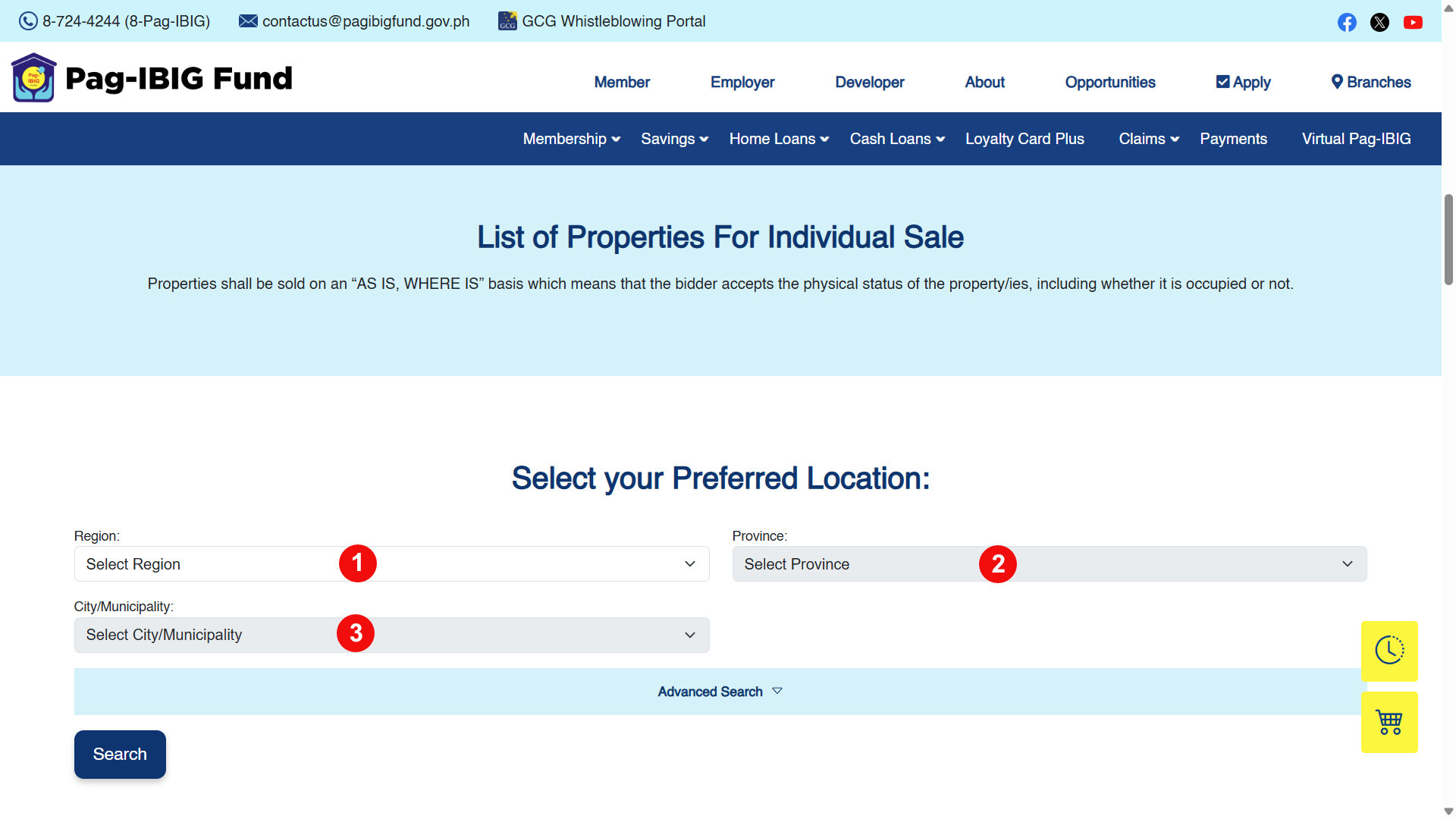
Scroll down to the List of Properties for Individual Sale section. Find properties by using the dropdown fields in order: Region, then Province, and then City/Municipality. Click Search to show the list of properties for your chosen location.
If you want to filter more precisely, click Advanced Search. This lets you sort by specific criteria like property type and price range so you don’t have to browse through listings that don’t match what you’re looking for.
Step 3: Choose a property
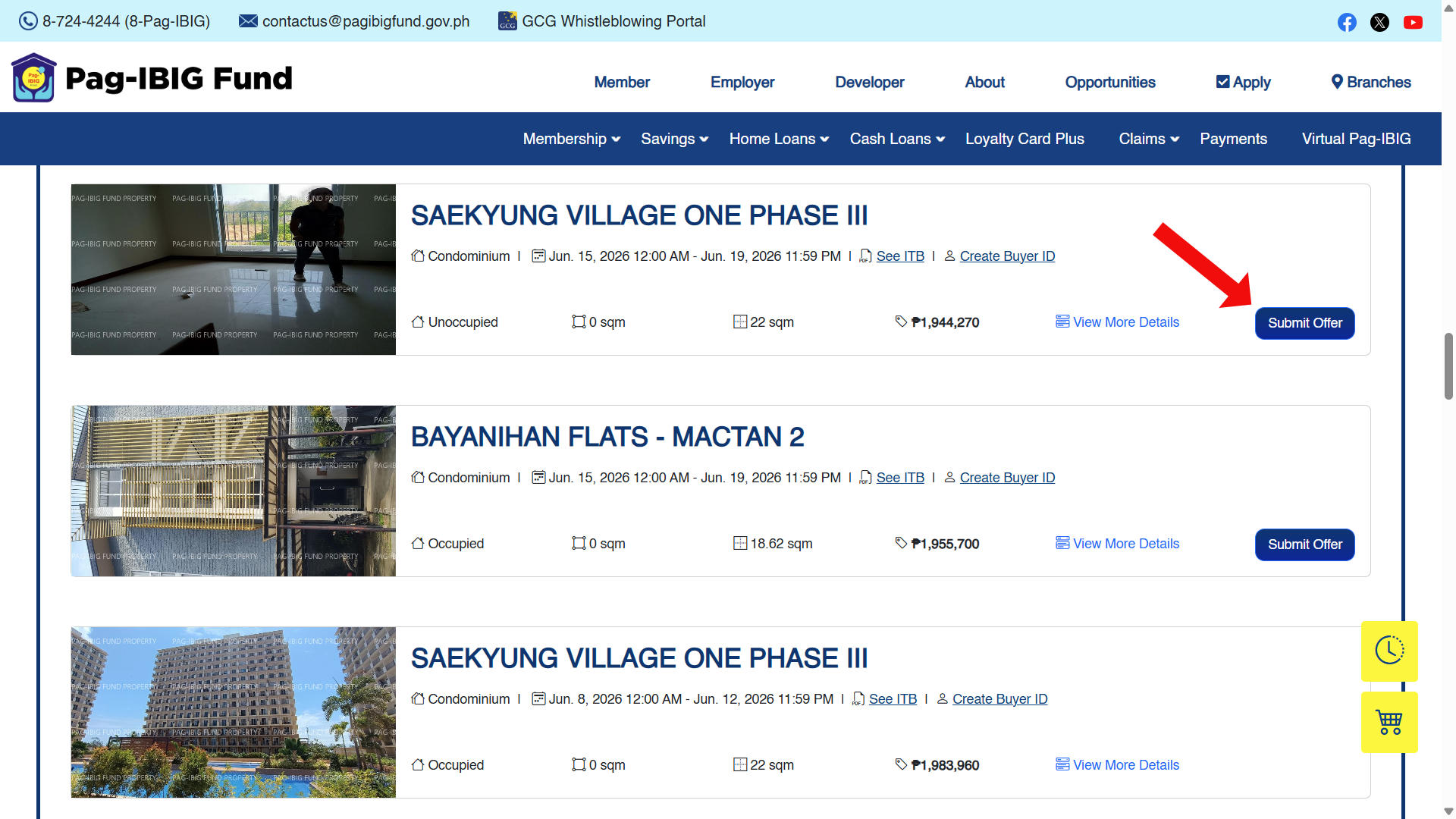
Once the page shows a list of properties in your chosen location, browse through them carefully and pick one that you want to bid on. You may click “View More Details” to view additional information about that property and to see its photos.
When you’ve decided on a specific property, click the Submit Offer button.
Step 4: Enter your Buyer ID
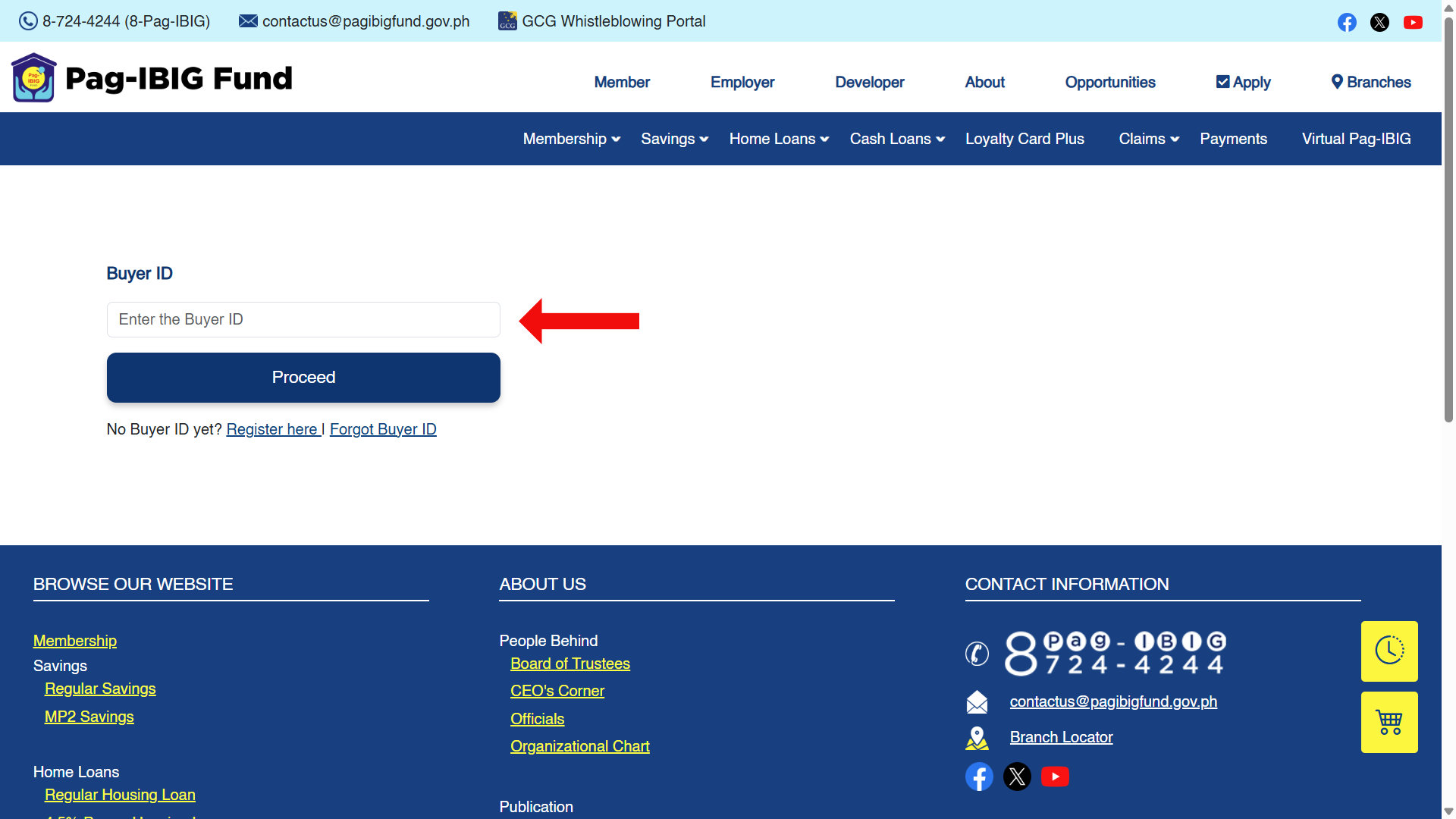
You’ll now be asked for your Buyer ID. Type it and click Proceed.
If you don’t have a Buyer ID yet, click the “Register here” link to create your account first. If you’ve registered before but can’t remember your ID, click “Forgot Buyer ID” to recover it. Check out this guide on how to register to the OPA and get your Buyer ID.
Step 5: Enter the OTP
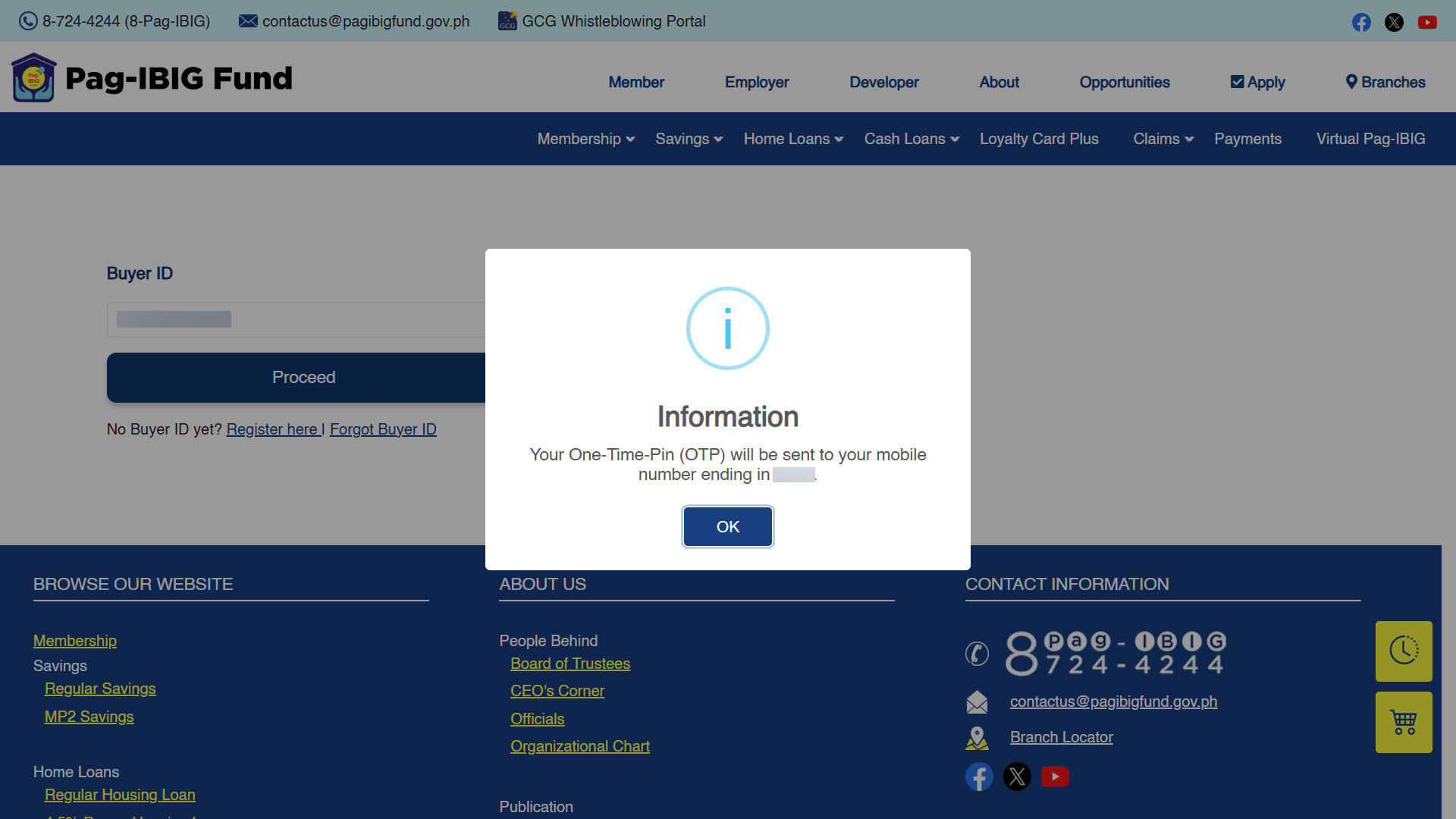
The system will send a One-Time PIN (OTP) to the mobile number registered to your account. Click OK to acknowledge the prompt, then check your phone for the code.
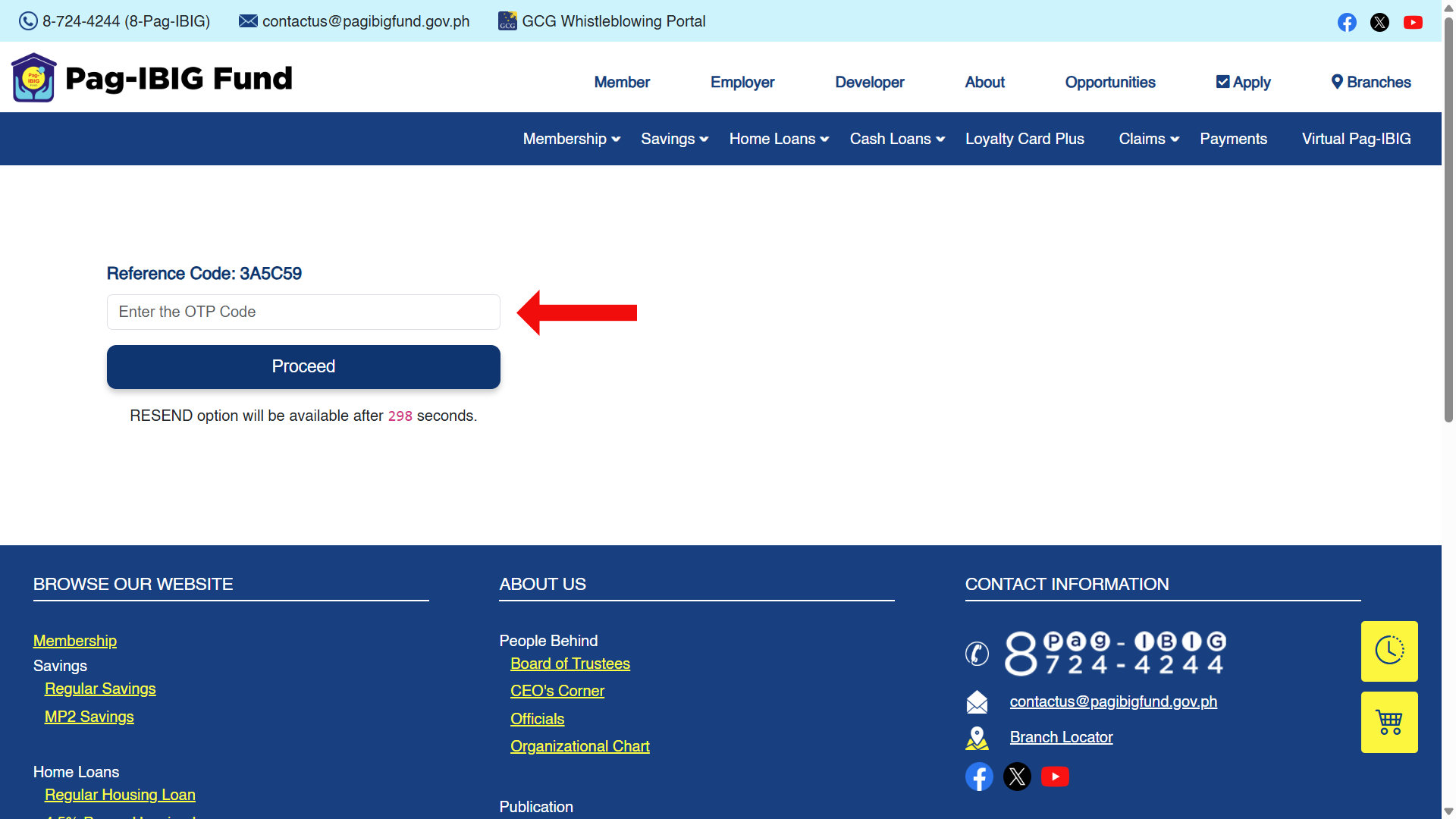
Type the OTP code into the field and click Proceed. The code is only good for a short period of time, so enter it as soon as you receive it. If you didn’t receive a code or if it has already expired, you can always request a new one.
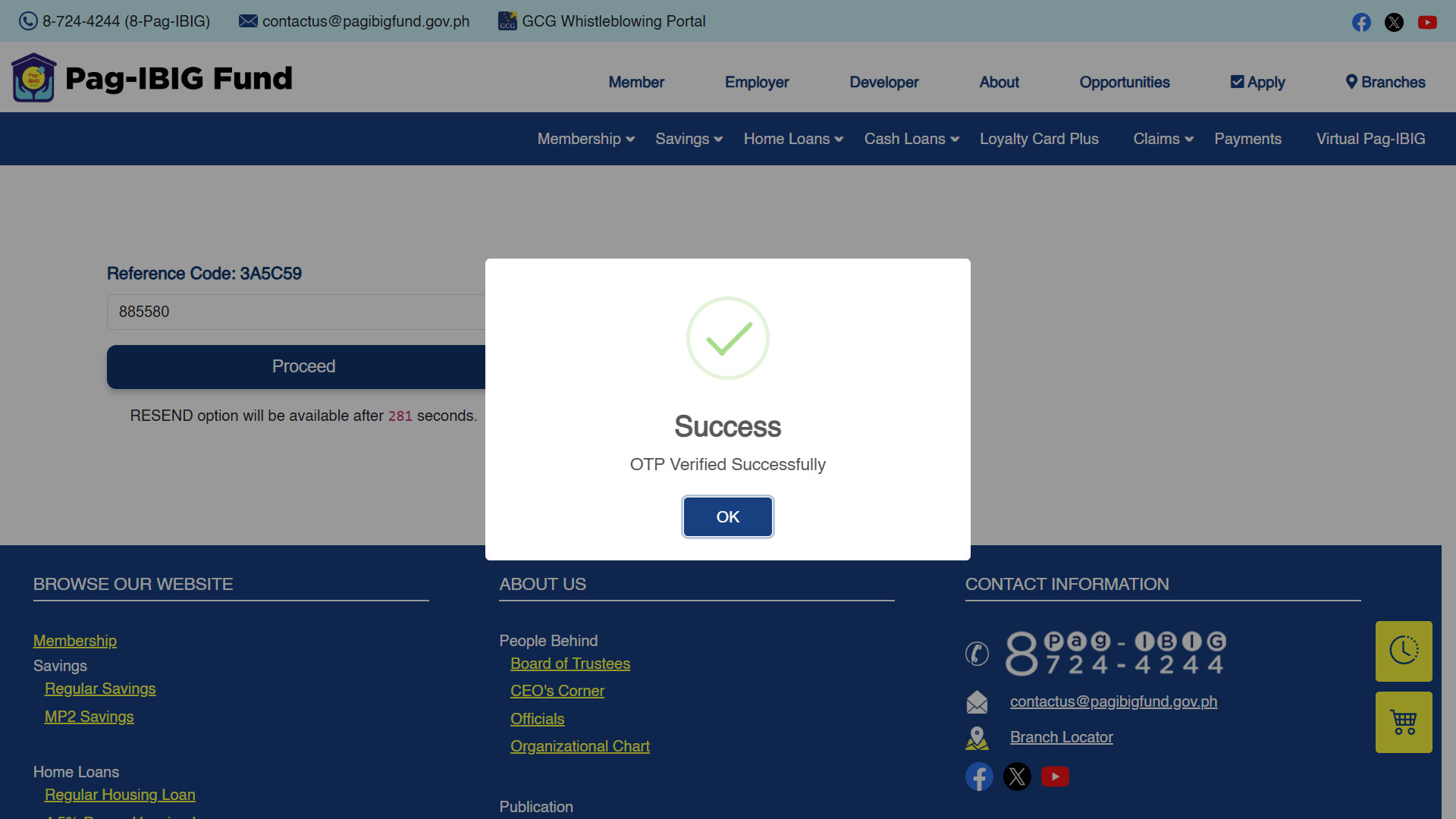
If the OTP is correct, you’ll get a success message. Click OK to continue to the bid offer form.
Step 6: Fill out your bid offer
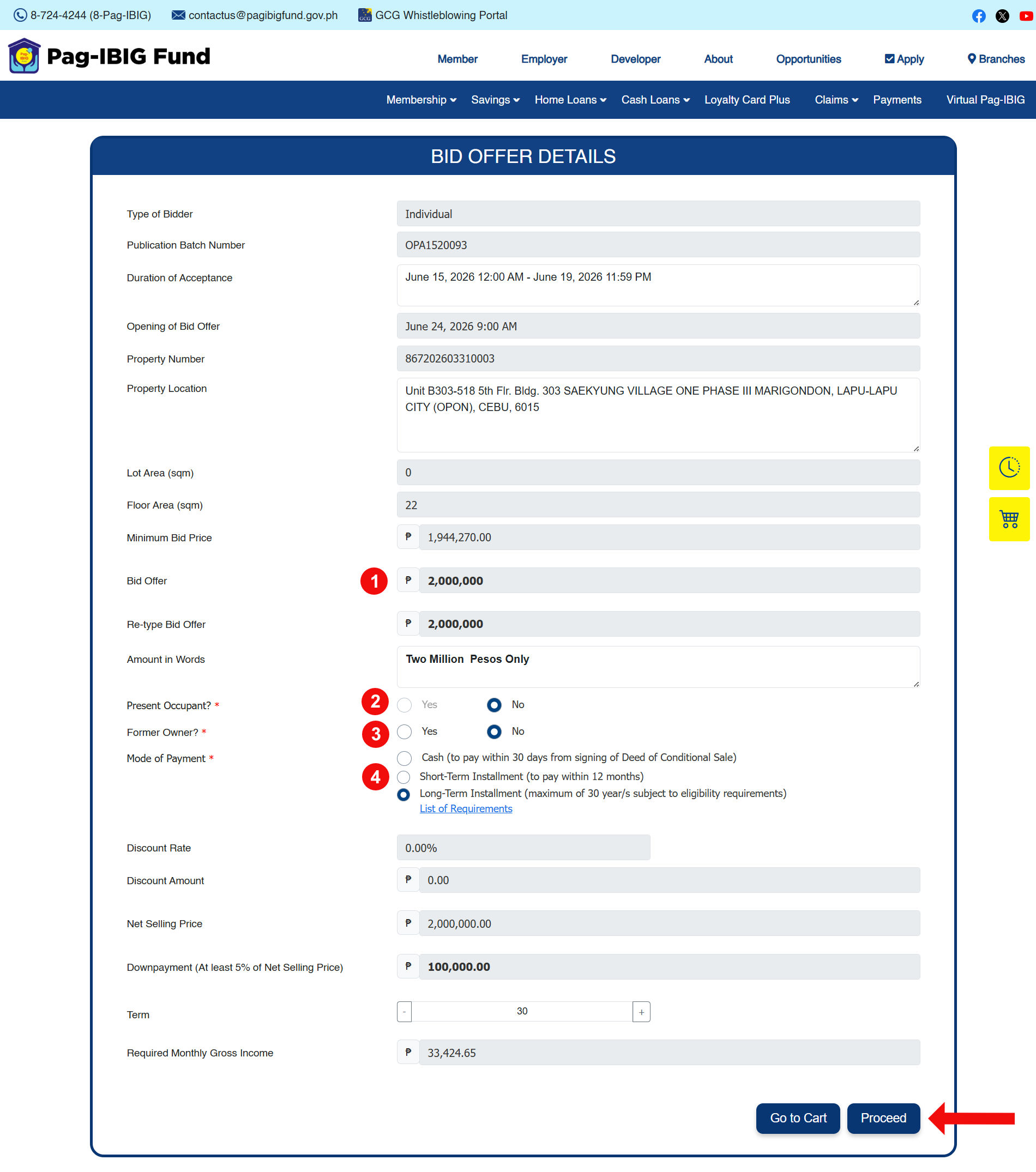
You’ll now see the Bid Offer Details, which includes important information about the property, such as its location, lot area, floor area, and the minimum bid price.
Read the details carefully, then provide the following:
- Bid Amount – Enter your bid offer amount. It must be equal to or higher than the minimum bid price.
- Present Occupant – Select “Yes” if you’re currently occupying the property. Otherwise, choose “No.”
- Former Owner – Only select “Yes” if you’re the former owner of the property.
- Mode of Payment – Choose your preferred mode of payment, such as cash, short-term installment, or long-term installment (maximum of 30 years).
Take the time to review everything, taking into account the downpayment and the required monthly gross income. Click Proceed when you’re done.
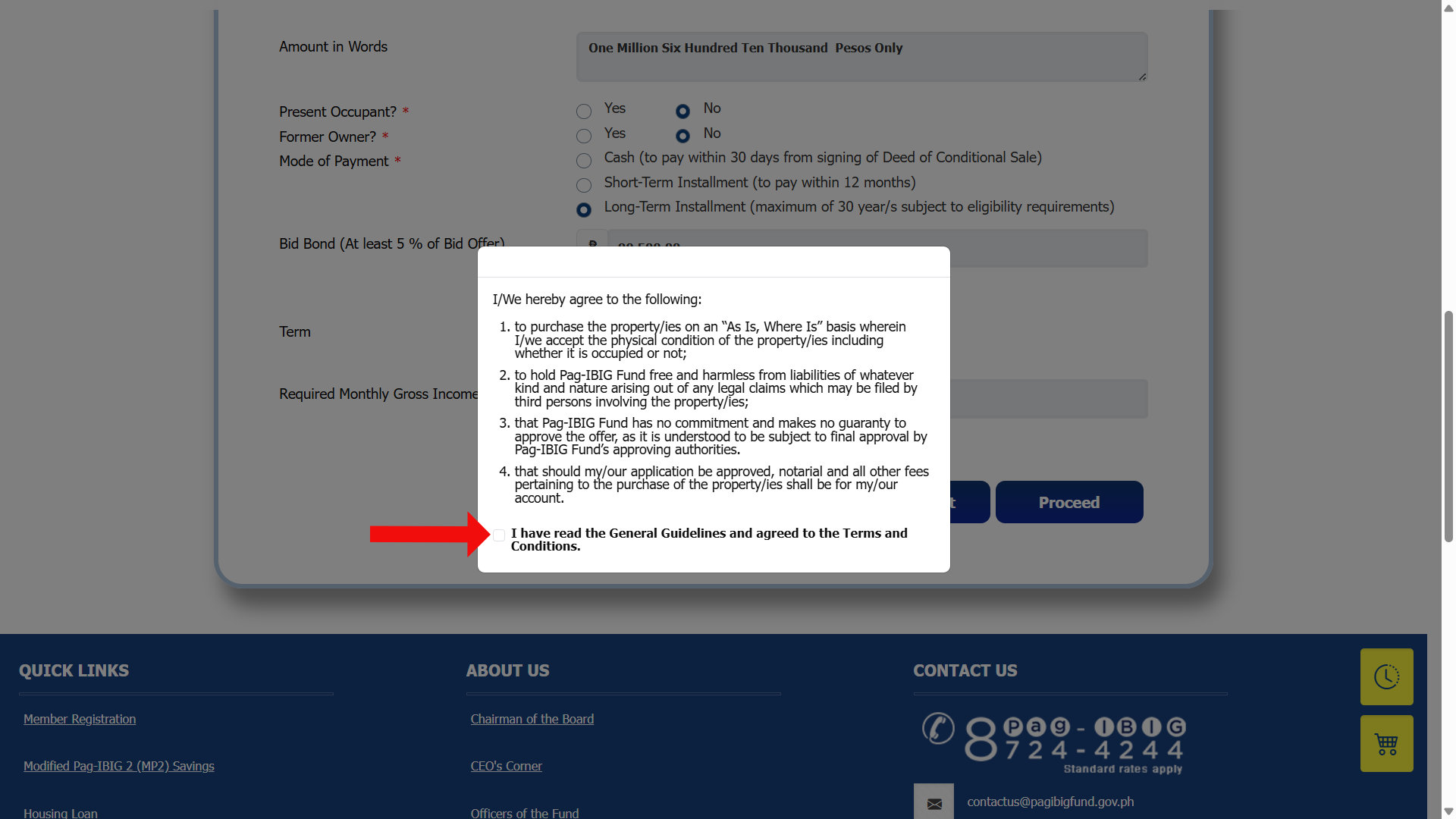
Step 7: Read the guidelines and terms
The General Guidelines and Terms and Conditions appear next. Read them thoroughly and if you agree to them, check the box confirming your agreement.
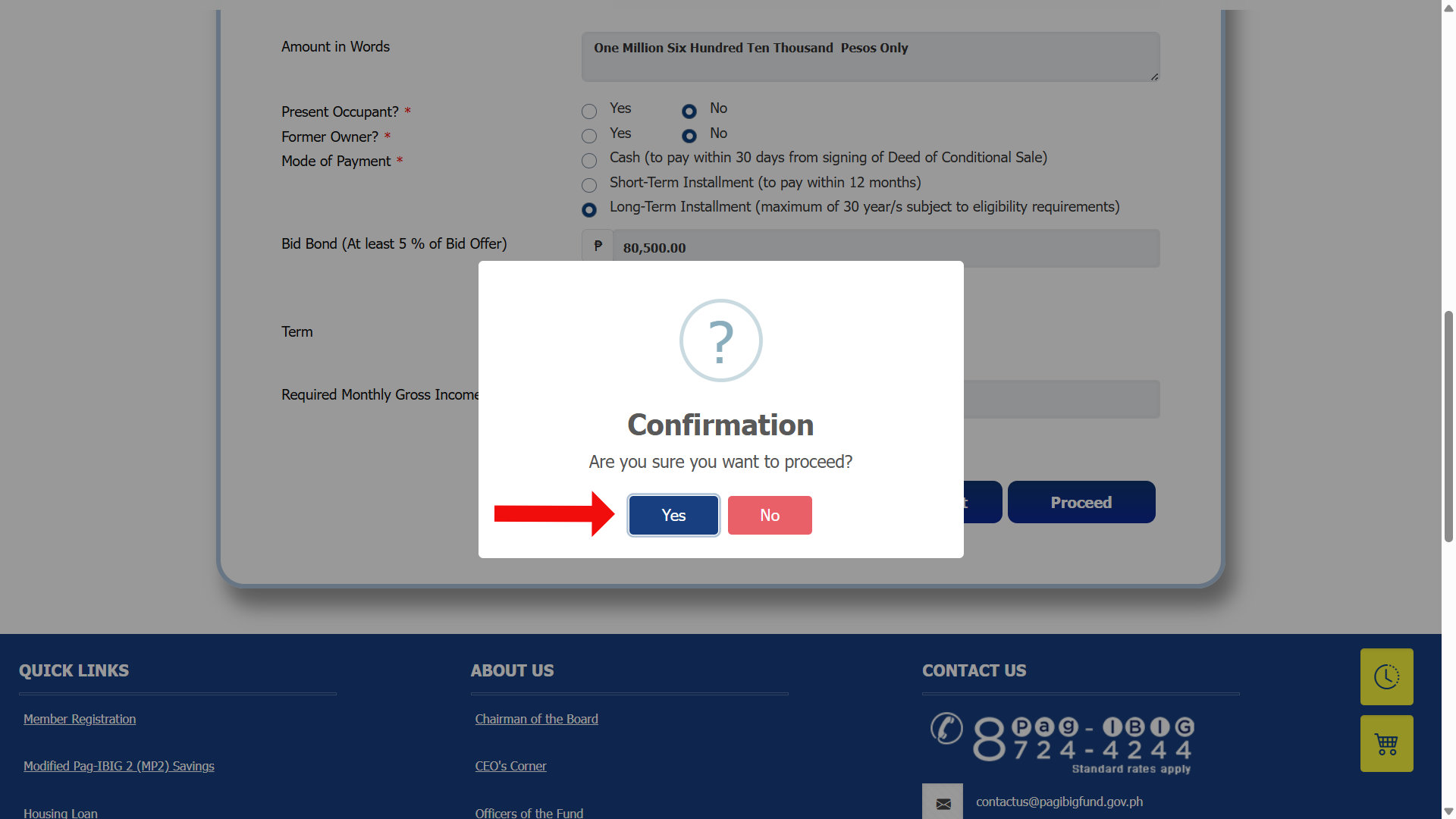
A pop-up will ask, “Are you sure you want to proceed?” Click Yes to add the property to your bidding cart.
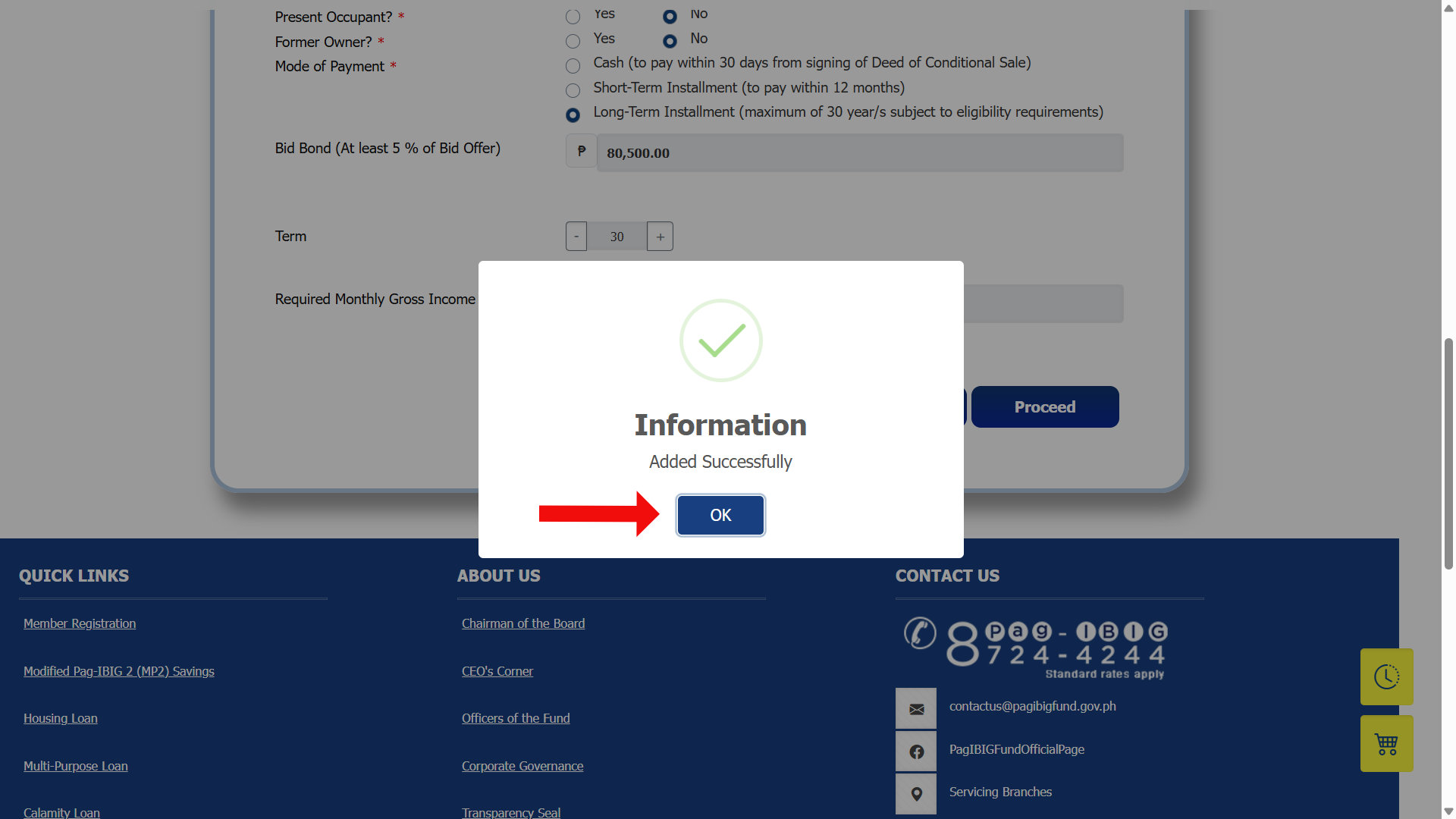
You’ll see a message saying that your information was added successfully. Click OK.
Take note that your bid offer has not been submitted yet. It was only added to the bidding cart, and you’ll have chance to submit your bid offer afterwards.
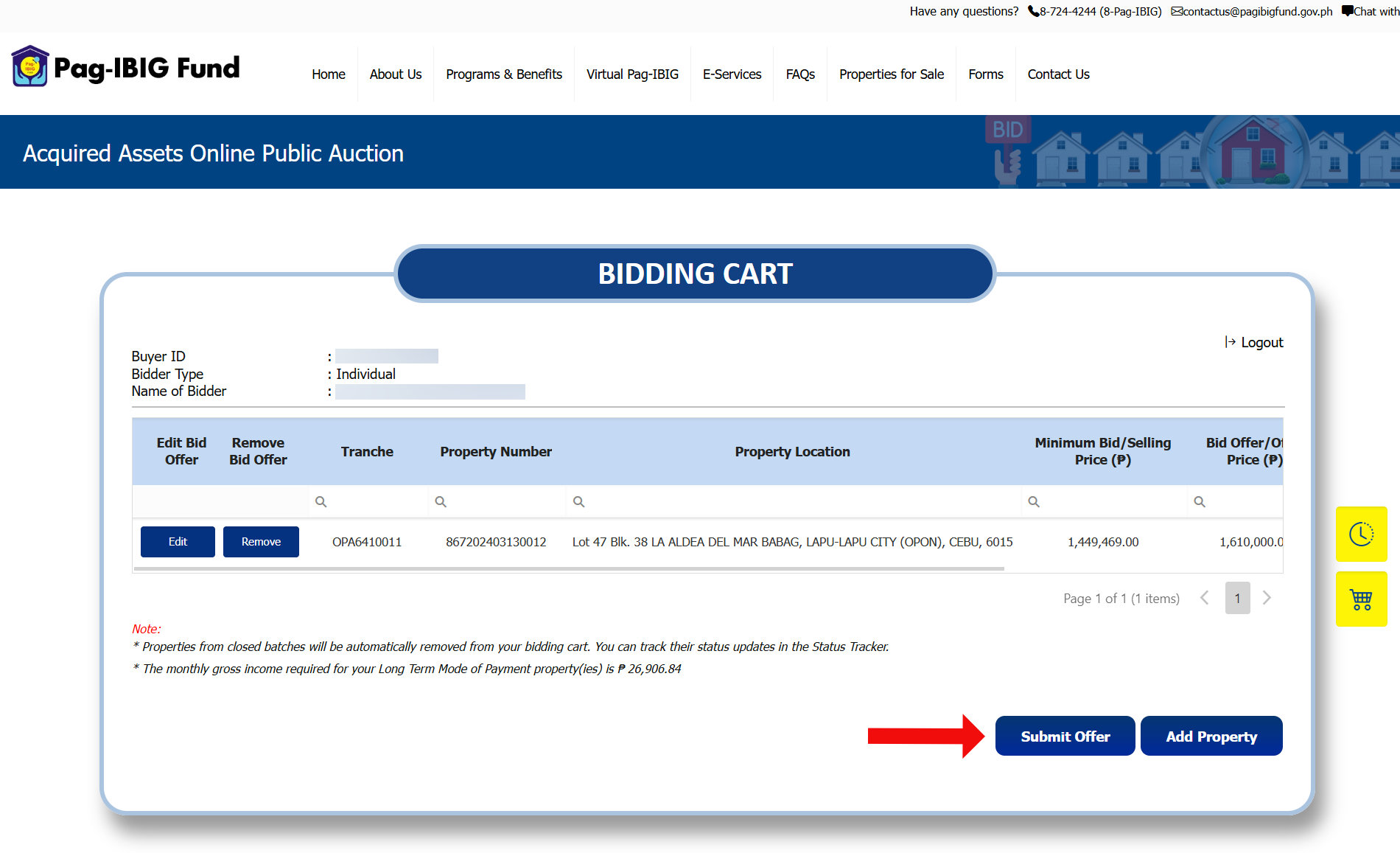
Step 8: Review and submit your bid offer
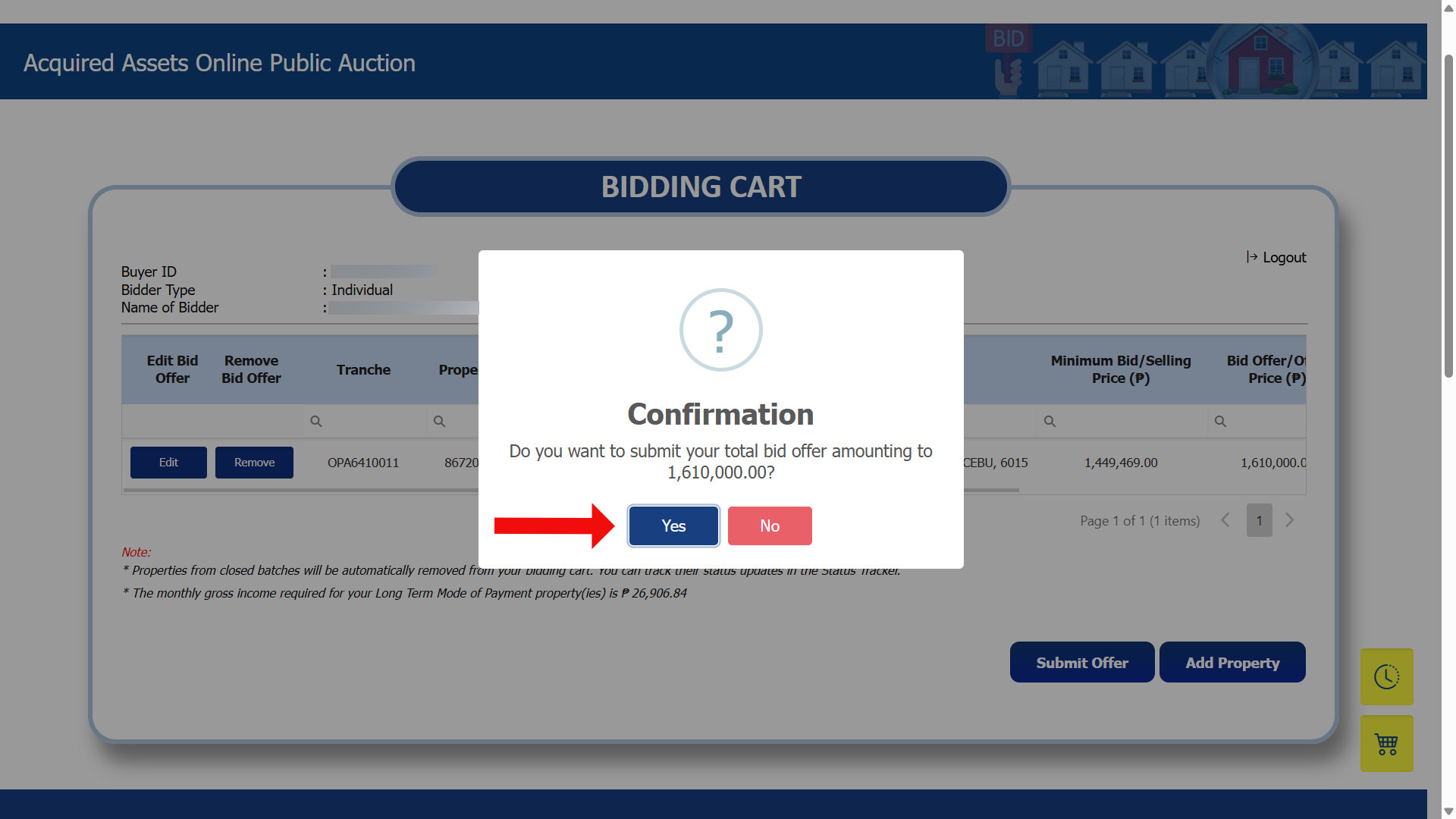
You’re now in the bidding cart page, which is where all your pending bid offers reside.
You can still edit your offer or remove it at this stage, so double-check your bid details one last time. When you’re satisfied with your bid offer, click Submit Offer.
One more confirmation prompt will appear, asking if you really want to submit your bid. Click Yes.
Step 9: Bid submitted
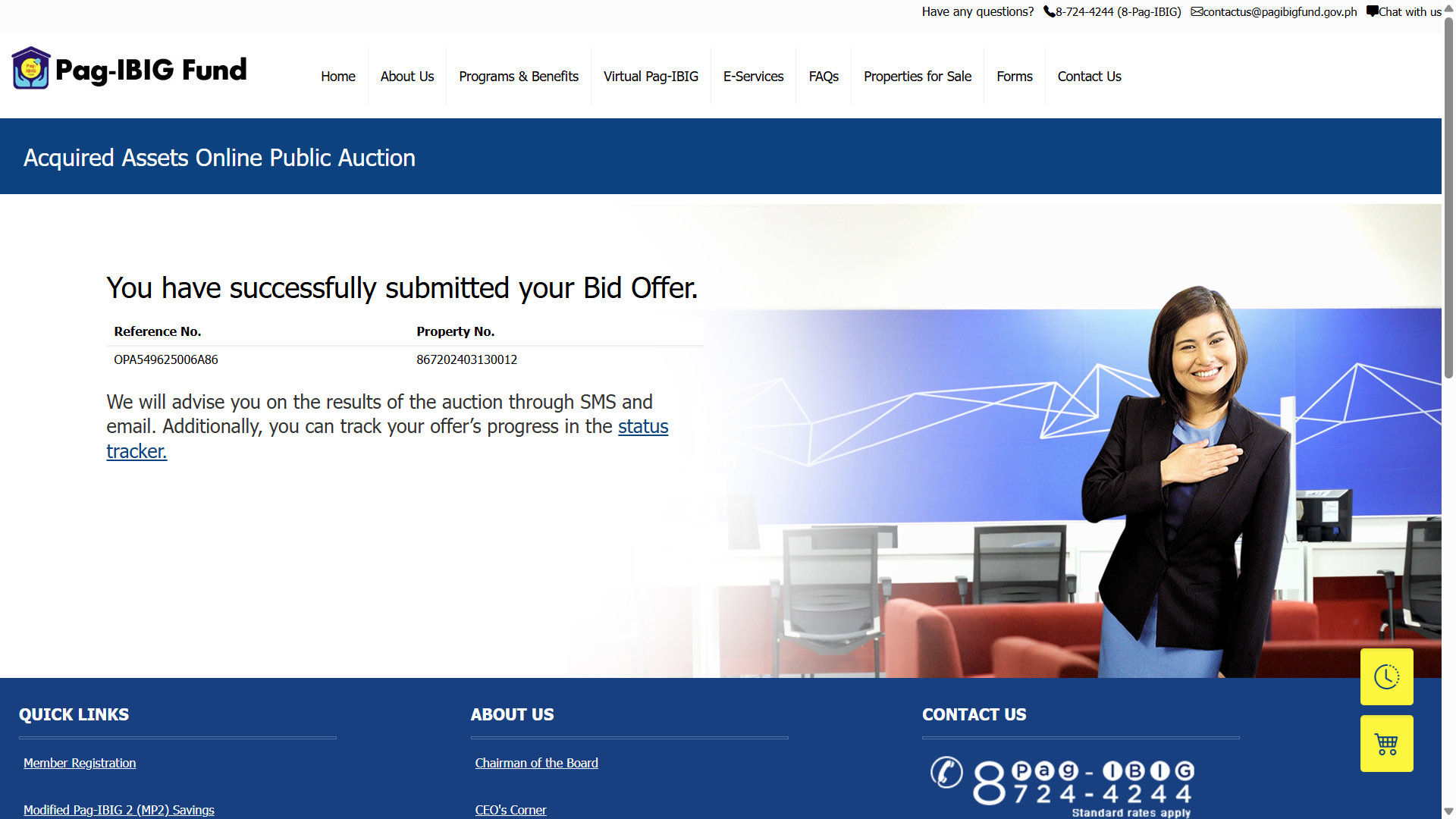
That’s it! You have successfully submitted your bid offer. Pag-IBIG will send the auction results to you through SMS and email, so keep an eye on both.
What Happens Next?
Submitting your bid is only the beginning. Once the bidding period closes, Pag-IBIG evaluates all the offers received for each property and determines the highest valid bid. You don’t have to do anything during this time, so just wait for the results of your bid.
When the results are out, Pag-IBIG notifies you by SMS and email. If your bid won, the message will include instructions on what to do next. If you didn’t win, the message simply informs you of such.
If you win the auction, here’s roughly what follows:
The winning bidder is required to pay the downpayment within a set number of days from the notice of award. This is usually 5% of the net selling price. So if the net selling price is ₱1 million, then the downpayment is ₱50,000.
After paying the downpayment, the next steps depend on the payment mode you chose during bidding:
- Cash Payment – You pay the remaining balance in full within 30 days from the signing of the Deed of Conditional Sale.
- Short-Term Installment – You settle the balance in equal installments over 12 months.
- Long-Term Installment – You go through the standard Pag-IBIG housing loan application process. You can pay the loan up to a maximum of 30 years, subject to eligibility requirements.
Once your offer is approved and the required documents and initial payments are settled, Pag-IBIG grants you possession of the property. If you choose the long-term installment plan via a Pag-IBIG housing loan, you can occupy the property while continuing to pay your monthly amortization.
However, because acquired assets are sold on an “as-is, where-is” basis, the buyer is responsible for inspecting the physical condition of the property and handling the eviction of any current illegal occupants. The official property title will remain with Pag-IBIG under a Deed of Conditional Sale (DCS) and will only be fully transferred to your name once the loan is completely paid off.
How to Check the Status of Your Bid
After you submit your bid, it’s natural to want to know where things stand at the moment. Fortunately, the OPA provides an easy way to check the status of your bid without waiting for the announcement from Pag-IBIG.
Here’s how to track your bid:
- Open the Pag-IBIG Acquired Assets Online Public Auction website.
- Look for Track My Bid, and then click the Click here button.
- Enter your Buyer ID and click Proceed.
- Enter the OTP code and click Proceed.
- A list of submitted offers is shown. Select a bid offer to view its status.
Frequently Asked Questions
Is it free to bid on the Pag-IBIG Online Public Auction?
Yes, bidding in OPA is totally free. The only time you’ll pay is after you win the auction, at which point, the payment terms you selected during bidding will apply.
Do I need to be a Pag-IBIG member to bid?
No, you don’t necessarily have to be an active Pag-IBIG member to participate in the Pag-IBIG Acquired Assets Online Public Auction. However, if you plan to apply for a Pag-IBIG housing loan, you obviously need to be a member.
Can I bid on more than one property at a time?
Yes. The OPA bidding cart works like a shopping cart, so you can bid on multiple properties before submitting them. Just be aware that each bid offer is a real commitment, so only bid on properties that you can realistically afford to pay.
What is the difference between minimum bid price and my offer?
The minimum bid price is the lowest amount Pag-IBIG will accept for that property. Your offer is what you’re willing to pay, and it must meet or exceed that minimum. Bidding higher than the minimum can improve your chances when other buyers are interested in the same property.
How can I contact Pag-IBIG regarding my bid?
If you have any questions and concerns about your bid or the bidding process, you may contact Pag-IBIG directly through their official hotline at 1-800-10-724-4244 (toll-free for PLDT landline users) or send an email to [email protected]. Have your Buyer ID ready when you call.
Final Thoughts
Buying a foreclosed property through the Pag-IBIG Acquired Assets Online Public Auction is a lot less stressful than it used to be. What once required an in-person visit and plenty of paperwork now takes a few minutes online. It’s never been easier to be a homeowner these days, thanks to this wonderful innovation by the Pag-IBIG Fund.
Good luck on your homebuying journey! If you have any questions and concerns, don’t hesitate to reach out to the Pag-IBIG Fund by calling 1-800-10-724-4244 (PLDT toll-free) or emailing [email protected].